Microsoft Entra Conditional Access Policy Plans Enter Preview
- Tony Redmond
- 370 views
Entra policy plans group shared conditions across related rules. Admins should review preview limits and the location token behavior before testing migrations.
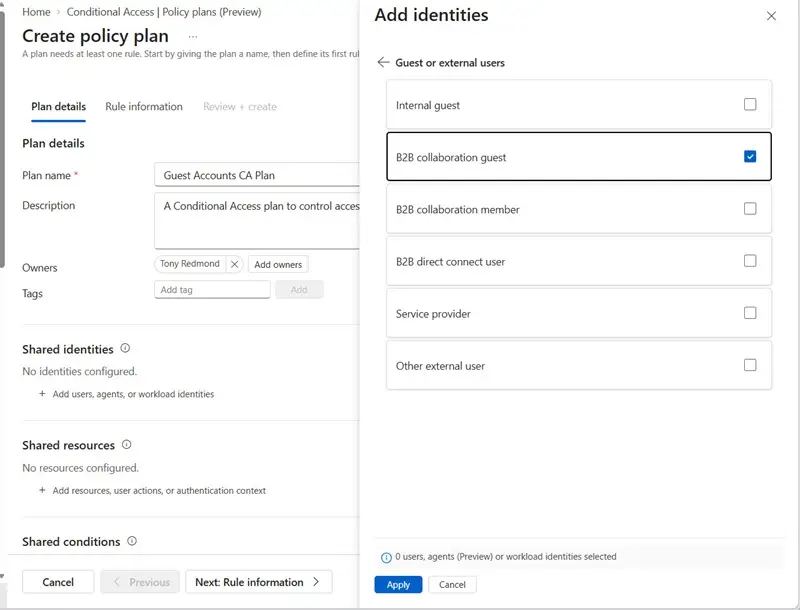
Microsoft Entra ID Conditional Access policy plans are entering preview as a way to organize related access rules and reduce duplicated configuration. For administrators managing a large set of policies, the main change is how common conditions can be defined and maintained. The plans don’t change how Conditional Access decides whether a sign-in should be allowed.
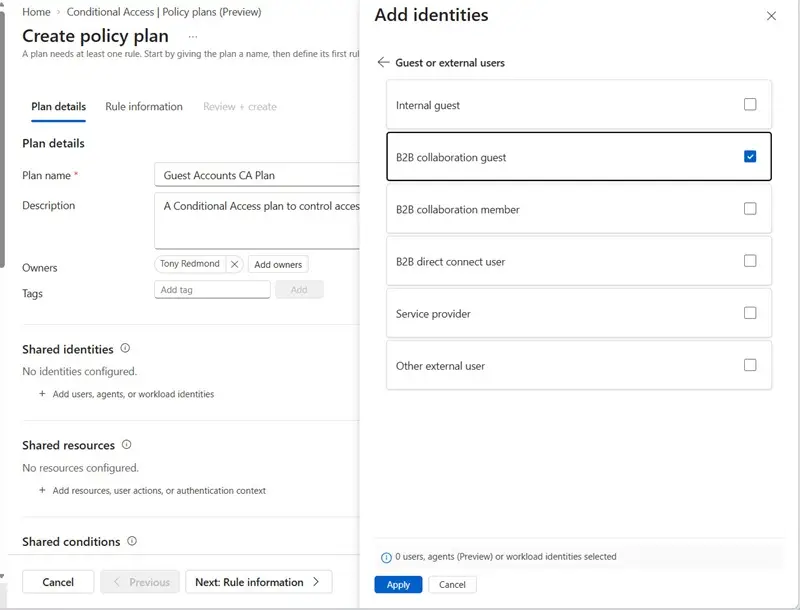
Shared conditions target policy sprawl
Conditional Access policies evaluate signals such as identity, device state, location, application and risk, then allow access or require controls such as multifactor authentication. Over time, tenants often accumulate policies for different applications, users, locations and authentication scenarios. Related policies can end up repeating the same assignments, conditions and exclusions.
That repetition creates maintenance work. If administrators update an exclusion in several policies, they must keep each copy aligned. At the same time, changing a policy that already protects a production tenant can introduce access problems, so teams may put off reorganizing a configuration that has grown complicated.
Microsoft has added capabilities to Conditional Access over the years, including support for authentication strength. Organizational changes and new features can leave administrators with policies that have evolved incrementally. Policy plans are intended to give those related rules a shared structure.
How a plan is organized
A policy plan contains plan details, shared conditions and individual rules. Administrators can define common conditions once at the plan level, then have the rules in that plan inherit them. The conditions can cover identities, resources, risk, device platforms, locations and client application types.
For example, an organization may exclude two breakglass, or emergency access, accounts from every Conditional Access policy so they can reach the tenant during an access problem. If ten related policies carry the same exclusions, administrators need to keep all ten copies synchronized. A plan can hold the exclusions as shared conditions for its rules.
The same structure can help when an organization maintains separate rules for Windows, macOS, iOS and Android but applies the same user targeting and emergency access exclusions to each. Instead of repeating those settings, administrators can define them once and let the rules inherit them.
Reducing duplicate settings should make a group of policies easier to review and could reduce configuration drift. That benefit depends on whether the plan’s structure fits the organization’s actual access requirements. A shared condition is convenient, but teams still need to understand which rules inherit it and what each rule decides.
Plans don’t change sign-in enforcement
Microsoft describes policy plans as an organizational addition to the existing Conditional Access model, not a replacement for standalone policies. A rule in a plan still represents an individual Conditional Access decision, and existing standalone policies can remain in place alongside plans.
During sign-in evaluation, applicable standalone policies and plan rules accumulate independently. There is no precedence between them, and every applicable policy and rule must be satisfied for access to be granted. Administrators should account for that behavior when reviewing a proposed plan: grouping rules does not make their enforcement decisions subordinate to one another.
Review proposed migrations before changing policy
Entra can analyze selected existing policies, identify conditions they share and propose how they could be moved into a plan with shared conditions and individual rules. The analysis doesn’t alter the existing policies, giving administrators a chance to inspect the suggested structure before deciding whether it makes sense.
This migration path addresses a difficult part of the feature’s intended use. Creating a tidy structure in a new tenant is one thing; reorganizing years of accumulated policies while preserving access behavior is another. Administrators should compare the proposed shared conditions and rules with the current configuration, paying particular attention to assignments and exclusions that affect access during an incident.
Experience from production deployments will help show how well plans handle mature Conditional Access environments. Until that experience is available, teams should treat a generated plan as something to review and test, rather than a reason to restructure policies without checking the effect on users and sign-ins.
Preview restrictions and a location-specific warning
Policy plans remain a preview feature, and Microsoft lists several restrictions. Plan-level targeting can’t be narrowed by individual rules. Rules can’t remove exclusions inherited from the plan. Shared conditions can’t mix identity types, and the All resources assignment is available only at the rule level.
Microsoft also warns about a specific sign-in behavior during the preview: users targeted by policy plans that use Location as a condition receive one-hour access tokens without an instant IP enforcement check. That limitation deserves particular attention from teams considering location conditions, because it affects how access is evaluated during the token period.
Microsoft says each rule appears separately in sign-in logs, which can help administrators troubleshoot decisions. Teams managing Conditional Access at scale should also check how plans fit their use of Microsoft Graph and PowerShell, as well as their configuration backup and recovery processes. The preview’s operational fit matters alongside the plan editor itself.
For now, policy plans look useful for consolidating repeated conditions and making related rules easier to maintain. Administrators evaluating them should test the proposed structure, account for the preview restrictions and assess the location-related token behavior before using plans to reorganize a production tenant.


