Panasonic Toughbook 34 MK1 Review: Rugged Design, Bright Screen and Long Battery Life
- [email protected] (Bobby Hellard)
- 855 views
The Toughbook 34 MK1 pairs a detachable 12.4-inch touchscreen and extensive connectivity with Intel Core Ultra Series 3 vPro and up to 20 hours of tested battery life.
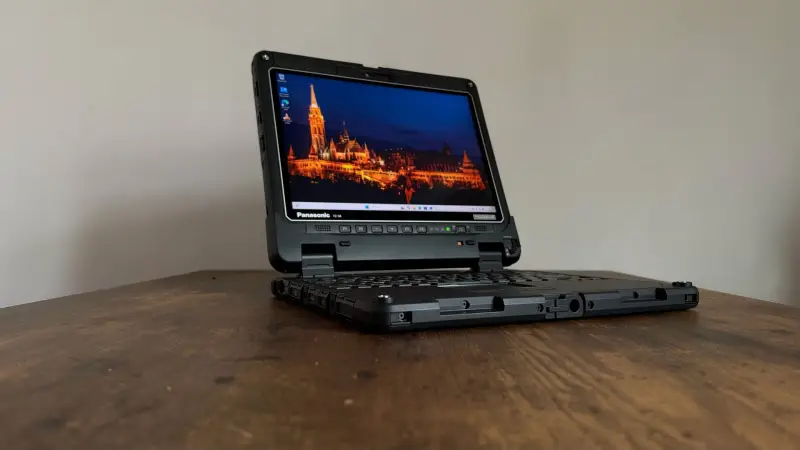
The Panasonic Toughbook 34 MK1 is built for teams whose laptops have to work outside the office, through rough handling and changing weather. Its defining strength is a combination of rugged protection, a detachable touchscreen and a broad set of ports. The Intel Core Ultra Series 3 vPro platform also brings on-device AI capability, though its performance is aimed at everyday work rather than demanding graphics tasks.
Panasonic says the Toughbook 34 meets MIL-STD 810H, resists water to IPX6 and can survive drops from up to 180cm. Its stated operating temperature range runs from -29°C to 60°C. Those specifications make it a candidate for field work where a conventional office laptop may be a poor fit; they don't make the machine particularly compact or polished.
Built for field use
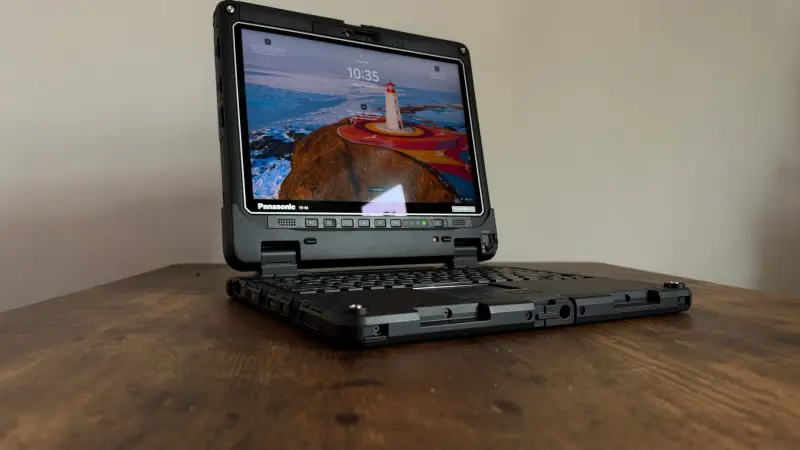
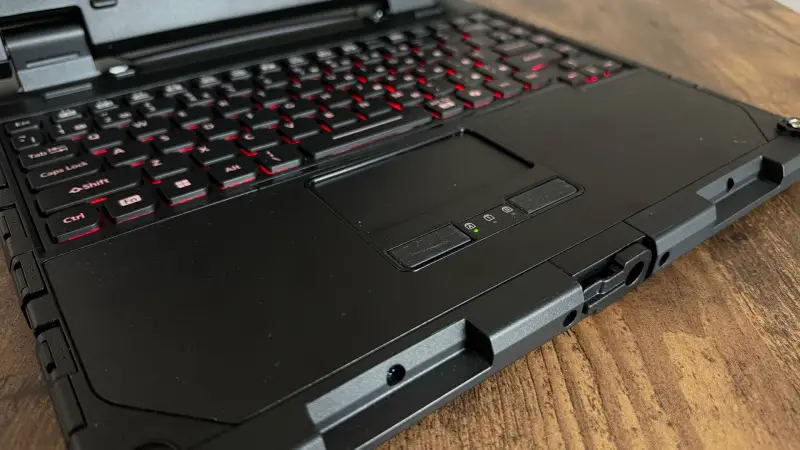
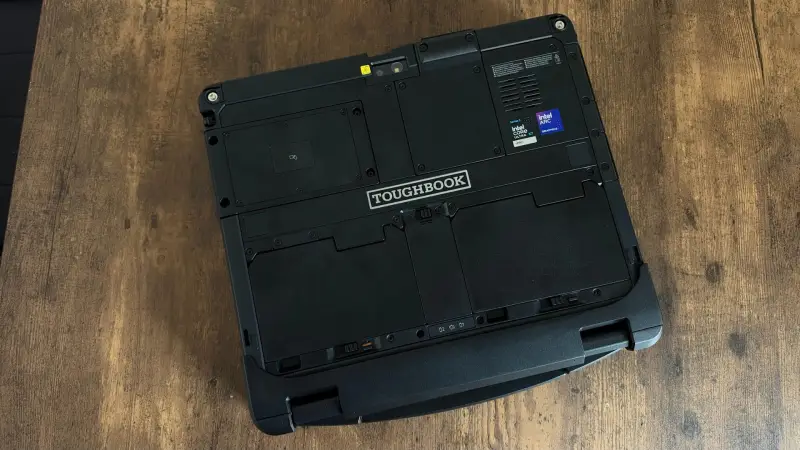
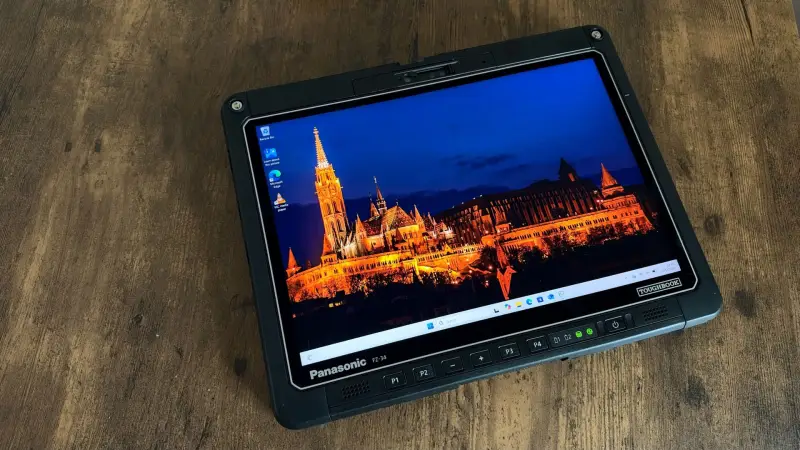
The design is unmistakably utilitarian: a black, thick-cased laptop with covered ports, multiple latches and a retractable carrying handle. One clasp secures the closed system, while another releases the display from the keyboard base. The screen then works as a rugged tablet, giving field staff a choice of laptop and touch-first operation.
The generous bezels reflect the device's priorities. A 5MP webcam sits above the display, and a 13MP rear camera can capture information on site. Panasonic's design favors protected hardware and practical controls over a slim profile.
Display and controls
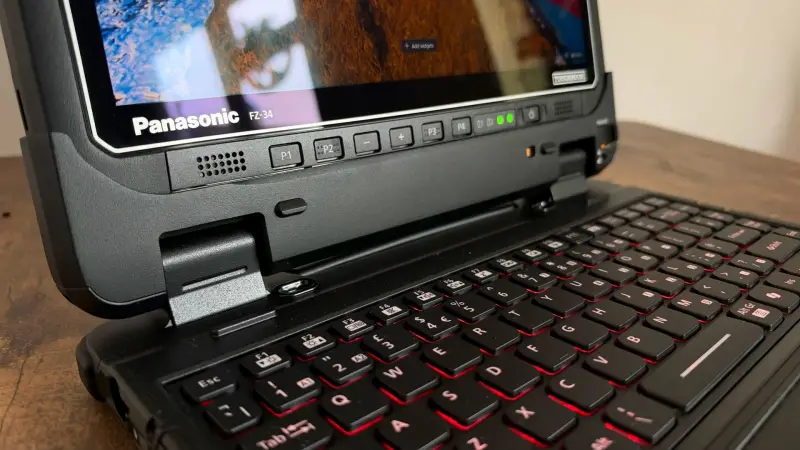
The 12.4-inch Adaptive Dual Touch panel is one of the machine's strongest features. Testing recorded peak brightness of 975.95 cd/m², and the screen remained readable in direct autumn sunshine. Color coverage measured 99.2% of gamut, with 106.3% color volume. That accuracy is more than many field workflows need, but it makes the display useful for reviewing visual material as well as reading forms and working with data.
Touch input is responsive, and the removable screen gives that capability a clear purpose. The supplied stylus is basic rather than a premium digital pen, but it responds well enough for notes. Handwriting can be converted to typed text, and the pen can also be used in the journal app.
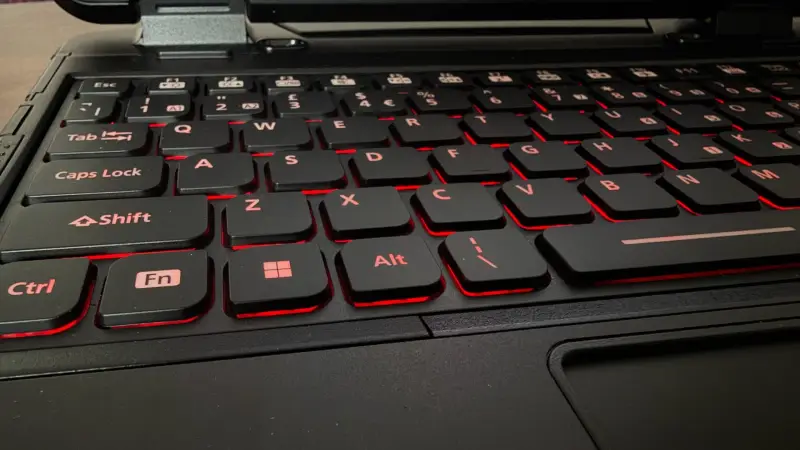
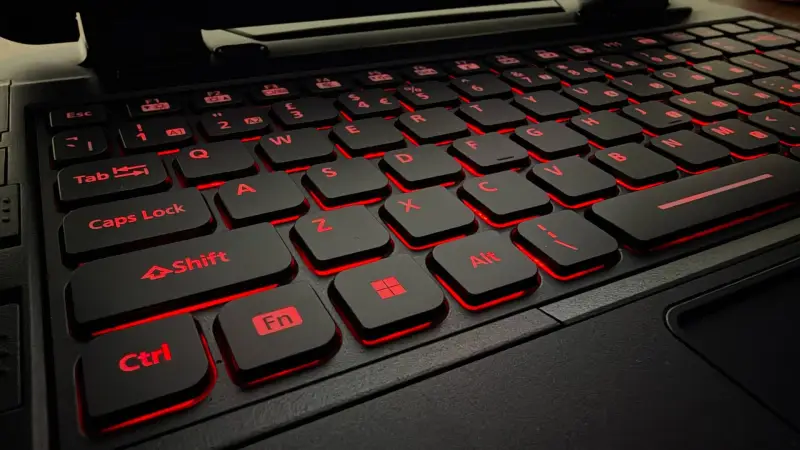
The small, square trackpad is the weakest part of the controls. Its physical left and right buttons work, but the limited surface and sluggish response make cursor movement awkward. The touchscreen provides a practical fallback. By comparison, the keyboard is spacious, with large keys and useful travel; it remains comfortable to type on in cold conditions. A function row and Copilot key are included. The keyboard backlight is red and can be controlled using Alt with F12.
Performance and battery
The MK1 uses Intel Core Ultra Series 3 vPro, with configurations offering 16GB to 64GB of DDR5 memory. The review configuration's Geekbench 7 results were 2,360 in single-core testing and 8,260 in multithreaded testing. Those figures are below premium notebook performance, but suit general business work. The system is not positioned for heavy graphics workloads.
The processor supports on-device AI, a feature aimed at workers who need local computing in remote locations. A Copilot key is present, though the practical value of AI features will depend on the software and tasks a team uses. The review does not establish specific performance figures for those tools.
Two batteries are fitted. Panasonic estimates a combined 18 hours, or nine hours per battery; in a looped video test, the laptop ran for 20 hours and 35 minutes. Actual field life will depend on workload and conditions, but the test result suggests that the dual-battery setup can support long shifts between charging opportunities.
Ports and configuration
Connectivity is unusually extensive: two Thunderbolt 4 ports, USB 3.2 Type-A, USB 2.0 Type-A, HDMI, 1Gbit Ethernet and native serial. The device also includes smart card, NFC, fingerprint and 2D barcode readers. There is no headphone jack. Wireless options include Intel Wi-Fi 7 BE211, Bluetooth 5.4 Class 1 and a choice of 4G or 5G mobile connectivity.
Storage starts with a 512GB quick-release OPAL NVMe SSD and can be upgraded to 2TB. The listed operating system is Windows 11 Pro, and the system is certified for Red Hat Enterprise Linux 10. Dimensions are 313.0 x 288.4 x 46.1mm, with a listed weight of 1.36kg.
What IT teams should weigh
The Toughbook 34 MK1 makes its strongest case where durability, bright outdoor viewing, local computing and a range of wired connections matter more than a thin chassis. Its detachable display adds useful flexibility, while the cameras, barcode reader and optional cellular connectivity can support field workflows without relying on a separate accessory for each task.
The trade-offs are clear: the trackpad is frustrating, the device is thick, and its processor results don't point to a machine for graphics-heavy work. For teams evaluating it, the practical questions are whether tablet mode and the built-in readers fit their workflows, and which memory, storage and mobile network configuration they need. The tested battery life and readable display make it a capable field workstation, provided its bulk and trackpad limitations suit the job.