Microsoft Graph Adds Read-Only Access to Exchange Attributes on Synced Groups
- Tony Redmond
- 619 views
Admins can query Exchange custom attributes on groups synced from Active Directory with Microsoft Graph, but updates still require Exchange Online cmdlets.
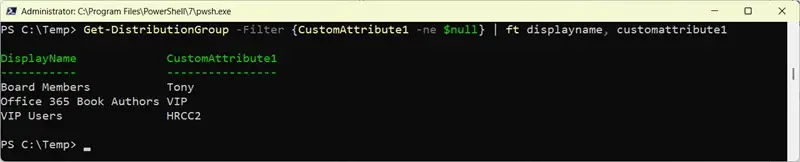
Microsoft Graph can now read Exchange custom attributes on groups synchronized from on-premises Active Directory, giving administrators another way to inspect group data in Microsoft 365. The support, introduced in September 2026, is limited: Graph access is read-only, and it does not cover Exchange’s five multi-value custom attributes.
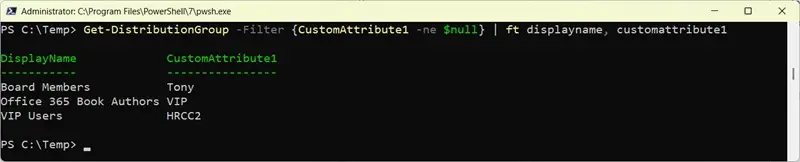
The change exposes the fifteen single-value Exchange custom attributes through the Graph onPremisesExtensionAttributes resource. That resource is also available for user accounts. For administrators managing hybrid environments, the practical gain is being able to query synchronized group attributes alongside other group properties using the Microsoft Graph PowerShell SDK.
Read attributes through Graph; use Exchange to change them
Graph can return the values, but it cannot update them. To change a custom attribute, administrators must use Exchange Online cmdlets such as Set-DistributionGroup, provided writeback is enabled for Entra Cloud Sync.
Microsoft hasn’t explained why attribute updates aren’t supported through Graph. One likely factor is ownership: distribution groups are managed by Exchange, and the Graph Update-MgGroup cmdlet cannot update a distribution group. That limitation makes read-only attribute access consistent with Graph’s existing boundaries for Exchange-owned groups. For groups whose source of authority is on-premises Active Directory, the values may also be maintained there and synchronized into Microsoft 365.
Administrators should therefore treat Graph as a way to retrieve and filter these attributes, not as a replacement for the Exchange tools used to maintain them. Before building an update workflow, confirm which system owns the group and which writeback configuration applies.
Which synchronized groups can be queried
Microsoft Entra Cloud Sync can synchronize distribution groups and security groups from on-premises Active Directory; security groups can be mail-enabled or not. Microsoft 365 groups aren’t in scope because they can’t be synchronized from Active Directory.
The prerequisite is to have groups synchronized from on-premises. Administrators can then use Get-MgGroup to retrieve their properties. For example, this query returns synchronized groups where Exchange custom attribute 1, represented as extensionAttribute1, has a value:
Get-MgGroup -Filter "onPremisesSyncEnabled eq true and onPremisesExtensionAttributes/extensionAttribute1 ne null" -Property Id, onPremisesExtensionAttributes, displayName -ConsistencyLevel Eventual -CountVariable GroupCount
Entra ID treats this filter as an advanced query. That’s why the command includes -ConsistencyLevel Eventual, which sets the consistency level header Graph uses to process the request.
A second query narrows the results to synchronized, mail-enabled groups that aren’t Microsoft 365 groups. It requests the extension attributes and expands them in the output:
Get-MgGroup -Filter "onPremisesSyncEnabled eq true and mail ne null and NOT groupTypes/any(c:c eq 'Unified')" -Property id, displayName, onPremisesExtensionAttributes -ConsistencyLevel eventual -CountVariable count | Select-Object id -ExpandProperty onPremisesExtensionAttributes
This makes it possible to inspect the available single-value attributes for matching groups without retrieving the values one group at a time. The limitation remains: Graph doesn’t provide access to the five multi-value custom attributes available on Exchange Online mail-enabled objects.
What the count parameter does
-ConsistencyLevel and -CountVariable often appear together in examples, but they serve different purposes. The consistency level tells Graph to handle the request as an advanced query. -CountVariable asks the SDK to retrieve the number of matching objects and place that number in a PowerShell variable.
Advanced queries don’t automatically need a count variable. A query using startsWith, for instance, can return matching groups with the consistency level set, without asking for a count:
[array]$Groups = Get-MgGroup -Filter "startsWith(DisplayName, 'Office')" -ConsistencyLevel Eventual -CountVariable Count
The count parameter can be removed when the total isn’t needed. Some developers keep it in their advanced queries because the extra request overhead is usually small, but it adds no value to a workflow that doesn’t use the count.
What administrators should check
This is a useful addition for teams that already use Exchange custom attributes to organize or identify mail-enabled groups. Graph makes those values available in the same query workflow as synchronized group properties, which can simplify reporting and inspection. The feature’s boundaries matter for automation: queries can read the fifteen single-value attributes, but changes still belong in Exchange Online cmdlets, and the five multi-value attributes remain unavailable through Graph.
For now, administrators should verify that their groups are synchronized, identify the system that owns each group, and choose the appropriate tool for reads and updates. The next thing to watch is whether Microsoft expands Graph’s group update support or adds access to the multi-value attributes.


