Teams Adds Meeting Impersonation Alerts, Transcript Scanning and Defender Investigation Data
- Tony Redmond
- 340 views
Teams is adding identity warnings, automatic Facilitator transcript checks and Defender call activity data, with different rollout dates and licence requirements.
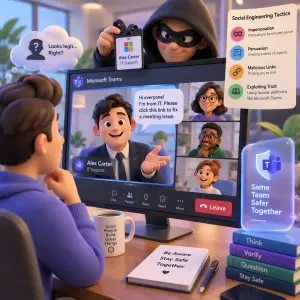
Teams is adding three layers of protection for meetings: warnings about potentially deceptive identities, automatic transcript checks for attempts to obtain sensitive information, and activity data for security investigations. The features arrive on different schedules and have different licence requirements, so administrators will need to assess each one separately.
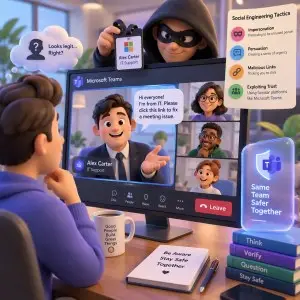
The changes address a risk that extends beyond federated chat, where someone may pose as an IT help desk worker. A Teams meeting can also draw an unexpected participant, whether a notetaking bot or a person persuaded into the call by an organizer. Existing controls, including meeting policies that block unwanted bots and an external access allow list that limits which tenants can federate, address parts of that exposure. Microsoft’s new capabilities add checks during and after a meeting, along with information to support follow-up investigations.
Identity warnings are due from mid-December 2026
Impersonation Protection for Teams meetings is described in message notification MC1530613, dated 29 October 2026, and Microsoft 365 roadmap item 573157. Microsoft expects the feature to begin reaching tenants in mid-December 2026. It says Teams will identify “potentially deceptive participants and meeting organizers.” The warning is intended to help users judge whether to join a meeting or leave it.
That approach puts a decision in front of the person attending the call, but it also makes the quality of the detection important. A legitimate external adviser or another expected guest could be flagged incorrectly. Administrators will need to watch how often warnings appear and how users respond, especially if external meetings are routine in their organization.
Microsoft hasn’t described the signals Teams will use to identify suspicious identities, or whether tenants can turn the protection off. That leaves security teams with limited information to assess how the feature will behave in their own meetings. Microsoft also hasn’t specified which licences are required. Those details will matter when organizations plan deployment and communicate the change to users.
Facilitator will scan transcripts automatically
A second change adds a protection skill to the Facilitator agent. Microsoft describes it in message notification MC1536056, dated 3 November 2026, and Microsoft 365 roadmap item 573450. The update is planned for late January 2027. Facilitator already uses meeting transcripts to produce summaries and identify action items; the new skill will also look for indications that someone is trying to “trick users into sharing sensitive information.”
The check will run automatically. Meeting participants won’t have to prompt Facilitator to look for suspicious requests, and the feature can’t be disabled for an individual meeting, organizer or tenant while Facilitator remains enabled. Organizations considering the agent will therefore need to account for this behavior as part of their broader decision about using Facilitator.
Microsoft hasn’t explained what it classifies as sensitive information or whether sensitivity labels will contribute to its assessment. A request to share a document could be ordinary work in one discussion and a warning sign in another. The information available so far doesn’t show how the agent will distinguish those situations, or how its detection will be tuned as it encounters different meeting contexts.
If Facilitator detects a concern, users will see a warning with options to end the meeting or temporarily restrict information sharing. That gives participants a way to respond, though a warning in a legitimate discussion could interrupt the conversation. The Facilitator agent requires Microsoft 365 Copilot licences, making that licence tier part of the deployment assessment.
Defender adds call activity for investigations
The third capability focuses on what security teams can examine after a suspicious call or meeting. Message notification MC1532241, dated 30 October 2026, describes Microsoft Defender support for understanding what happened, who initiated the activity and which organization the initiator is associated with.
Available now, the CallActivityEvents table in Microsoft Defender XDR advanced hunting contains information about activity in Teams calls and meetings. Investigators can use details such as who scheduled a call and what took place to build a clearer account of suspected social engineering or impersonation. Access requires Microsoft Defender for Office 365 Plan 2, included in E5 SKUs.
This investigation data gives security teams a record to examine after an incident; it doesn’t itself prevent a deceptive participant from joining or a user from sharing information. Teams considering the feature should check their Defender licensing and determine how call activity fits into their existing investigation process.
Plan for different controls and rollout schedules
The three additions cover distinct points in a meeting’s lifecycle: identity warnings before or during participation, transcript analysis during the meeting, and activity data for later investigation. That spread reflects the challenge for Teams administrators: controls for external access and meeting attendance can reduce exposure, while user-facing warnings and investigation records address risks that may still get through.
Microsoft’s rollout plans and licence details make the next steps concrete. Administrators can track the expected mid-December 2026 start for Impersonation Protection and late January 2027 arrival for Facilitator’s new skill, while checking current Defender for Office 365 Plan 2 entitlement for CallActivityEvents. For the first two features, Microsoft hasn’t provided full detail on detection criteria or, in the case of Impersonation Protection, licensing. Those gaps will shape how confidently teams can predict user impact before the features reach their tenants.


