Configure Patch Manager Plus for Faster Patch Tuesday Deployment
- Mahanya V
- 932 views
Five Patch Manager Plus settings can speed patch rollout, shorten testing delays and bring remote endpoints into the monthly patching process.
Patch Tuesday starts a race between patch availability and exploit activity. Once Microsoft releases security updates, comparing patched and unpatched files can help researchers and threat actors identify the flaws those updates address. Exploits may begin circulating the next day, a window often called Exploit Wednesday. IT teams can’t control that timing, but they can remove avoidable delays from their patching process.
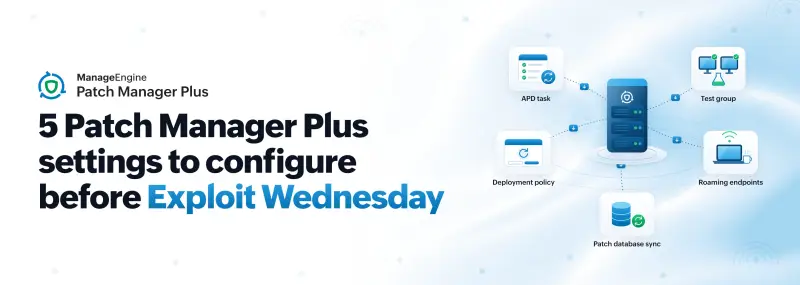
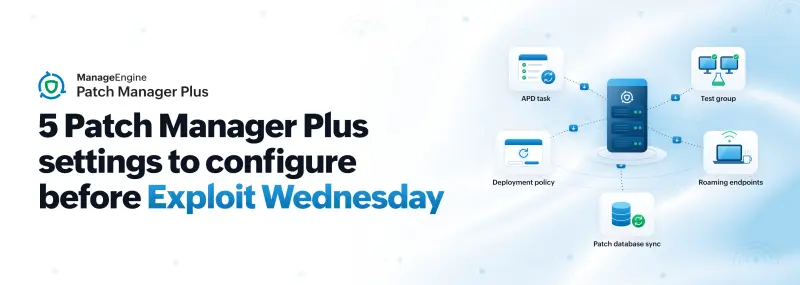
In Patch Manager Plus, five settings shape how quickly updates move from detection to installation: automated deployment, a tightly managed pilot, a policy aligned to Patch Tuesday, remote device coverage and timely scans. Each depends on the others. Automation won’t help if the patch database is stale, and a successful installation may still leave a device exposed if a required restart keeps getting postponed.
Automate deployment around the monthly release
An Automate Patch Deployment (APD) task can handle the steps between detecting a matching patch and deploying it. Administrators set the severity levels and target groups once; the task then processes patches that meet those conditions without waiting for someone to notice the release and create a deployment manually.
Start by deciding which severity levels belong in the task. The source recommends including Critical and Important security updates, which Microsoft uses for its most serious flaws. Set Windows endpoints as targets, and consider separate tasks for servers and workstations if their requirements differ. Schedule the task around the monthly release so it is ready when updates become available.
Attach the relevant Patch Tuesday deployment policy to the APD task. That connection determines whether pilot devices follow the intended schedule and restart rules. The practical gain is time: the workflow can begin on schedule even when an administrator isn’t available to start it.
Keep the pilot short and representative
Deploying without testing can create compatibility problems; a long testing period leaves endpoints waiting while exposure continues. Patch Manager Plus’s Test and Approve feature offers a middle path. A small group receives new patches first. Successful installations can be approved automatically, while failed installations remain unapproved and don’t proceed through APD tasks.
Choose pilot devices that represent different departments or operating system builds. One or two machines for each major group can provide more useful coverage than a larger set of nearly identical devices. Enable automatic approval for successful installs, then set the deployment delay to zero days for the test group. For critical or actively exploited fixes, approval can be immediate or set for one day; approval delays are measured in whole days.
Installation success doesn’t confirm that a business application still works as expected. Administrators should spot-check pilot machines and verify that line-of-business apps open and behave properly before approval takes effect. A one-day delay adds a day before wider deployment, while giving teams time to observe real use. The automated flow can then draw attention to failed installs or user reported problems.
Align reboot rules with Patch Tuesday week
Deployment policies control patch timing, restarts and user notifications. Patch Manager Plus offers a “Based on Patch Tuesday” week split that counts weeks from the month’s second Tuesday. The regular split treats the second week as days eight through 14. In some months, a second-weekend schedule can therefore run before Patch Tuesday, especially when the Tuesday falls later in the month, such as on the 13th.
Create a dedicated policy for Patch Tuesday rather than changing everyday patching rules. Select the Patch Tuesday week split, then choose the week of the release or the following week if you want a buffer. Decide how users can postpone restarts: a limited delay, clear notification and enforced restart can balance disruption with timely protection. Link the policy directly to the corresponding APD tasks.
A patch that has installed but is waiting for a restart may not yet protect the device. If users can postpone restarts indefinitely, the installation schedule alone won’t show how long machines remain exposed. Review the available reboot options and set rules that fit the maintenance window and user impact your organization can accept.
Bring roaming endpoints into scope
Laptops that rarely connect to the office network can miss the schedule used for desktops, despite needing the same security updates. Identify agent-managed devices that seldom reach the corporate network and confirm they’re included in APD tasks. Patch Manager Plus can manage roaming endpoints alongside office and branch machines.
For sleeping devices on the corporate LAN or WAN, Wake-on-LAN (WoL) can bring them online. Roaming devices need a policy that lets them catch up when they reconnect. Track patch rates for remote devices separately: a healthy overall rate can conceal a group of laptops that has fallen behind.
Sequence database syncs and scans
Deployment tasks rely on Patch Manager Plus having current information about available patches and device status. The patch database sync runs daily at a time administrators choose. Schedule it after Patch Tuesday updates reach the central repository, then let endpoint scans run against the refreshed local database.
Order matters. A scan that starts before the sync finishes can miss newly released patches. Likewise, if scans finish after an APD task begins, that task may be acting on outdated results. Match scan timing to the deployment window, and on Wednesday morning confirm that new patches have downloaded to the server before APD starts. Fresh scan results show which machines still need each update and give the team a clearer view of patch status.
Include third-party applications
Exploit Wednesday is associated with Microsoft updates, but Adobe and other vendors also release security patches on Patch Tuesday. Browsers and PDF readers are among the applications attackers target. Add third-party applications to the same APD scope where appropriate, rather than maintaining a separate deployment process.
Together, these settings create a monthly workflow that starts on a defined schedule, tests patches on representative devices and includes remote endpoints. The key operational check is whether database sync, scans, deployment and restarts happen in the right order. Review that sequence before the next release so the team can focus on exceptions instead of manual handoffs.


