Ubiquiti UniFi U7 Pro Max Review: Wi-Fi 7 Performance and Management
- Dave Mitchell
- 684 views
The U7 Pro Max pairs tri-band Wi-Fi 7 with detailed UniFi monitoring. MLO improved close-range test speeds, though the access point runs hot under load.
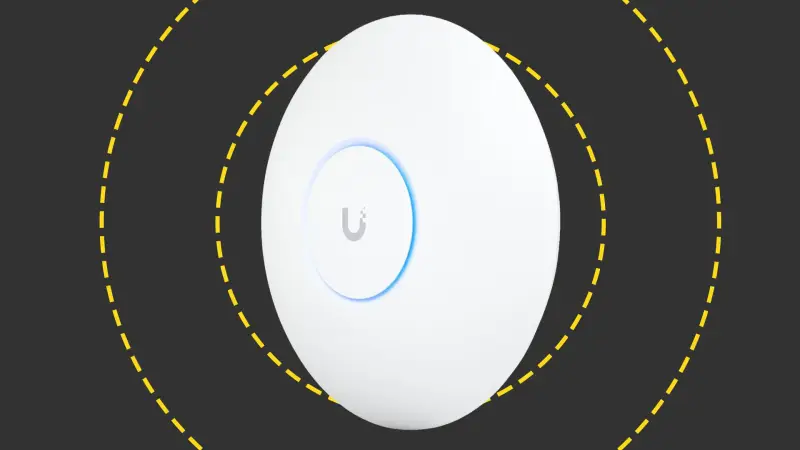
For businesses planning a Wi-Fi 7 rollout, the Ubiquiti UniFi U7 Pro Max stands out for its management and monitoring tools as much as for its wireless speeds. It’s a tri-band access point with a 2.5GbE connection, designed for high-density environments and rated for more than 500 connected devices. In testing, enabling multi-link operation (MLO) improved close-range throughput. The trade-offs to weigh are PoE+ power requirements, possible instability with certain 5GHz channels, and a base that gets hot under load.
Hardware, radios and power
The U7 Pro Max has a metal chassis beneath a polycarbonate cover. Ubiquiti includes the parts and tools needed to mount it on a wall or ceiling. Its eight spatial streams are distributed across the three bands: two on 2.4GHz, four on 5GHz and two on 6GHz. The device carries a BE15000 rating and claims maximum link rates of 688Mbits/sec, 8,648Mbits/sec and 5,765Mbits/sec on those bands, respectively.
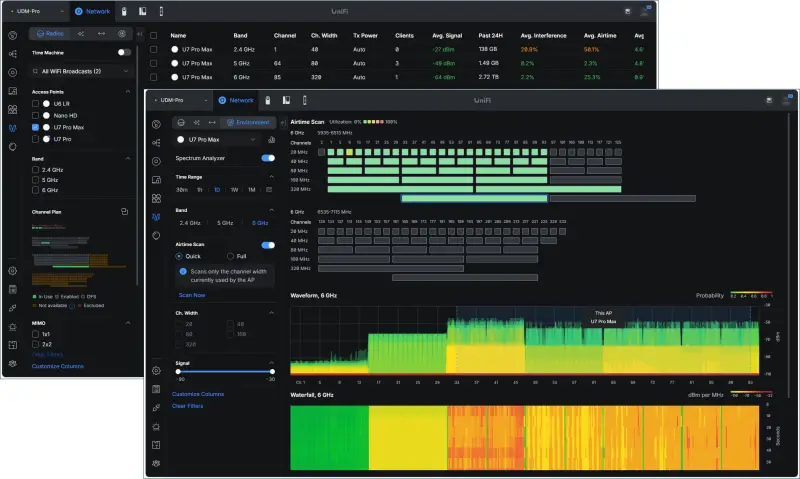
A dedicated radio supports real-time spectrum analysis, allowing scans without interrupting service. That capability is absent from the entry-level U7 Pro, so it may be useful to administrators diagnosing interference while keeping an active network running.
Power and connectivity come through a single 2.5GbE port with 802.3at PoE+. There’s no socket for a separate power adapter, so deployments need a suitable PoE+ switch or injector. Ubiquiti’s own 2.5GbE injector was priced at around £20 in the review. Teams should also take care when selecting 5GHz channels at 160MHz or 240MHz: those channel widths require dynamic frequency selection (DFS), which can lead to connection instability.
Firmware and UniFi management
MLO wasn’t supported at launch, but a later stable firmware release addressed earlier MLO connection issues. It also improved 6GHz power management and added Force Wi-Fi 4 mode, intended to help older wireless clients and IoT devices work with the access point’s newer Wi-Fi features. Enabling MLO requires WPA3 encryption and protected management frames (PMF).
Administrators can manage the U7 Pro Max with the free, self-hosted UniFi OS Server for Windows, macOS and Linux; Ubiquiti’s paid cloud hosting, starting at around £25 per month; or a UniFi Cloud Gateway appliance. Testing used a UniFi Dream Machine Pro (UDM Pro), listed at around £340. The 1U appliance combines network management with gateway security, video surveillance, premises security, IoT and VoIP services, and includes the free InnerSpace network visualization tool. Its ports include 10GbE SFP+ and Gigabit WAN, plus eight Gigabit LAN ports.
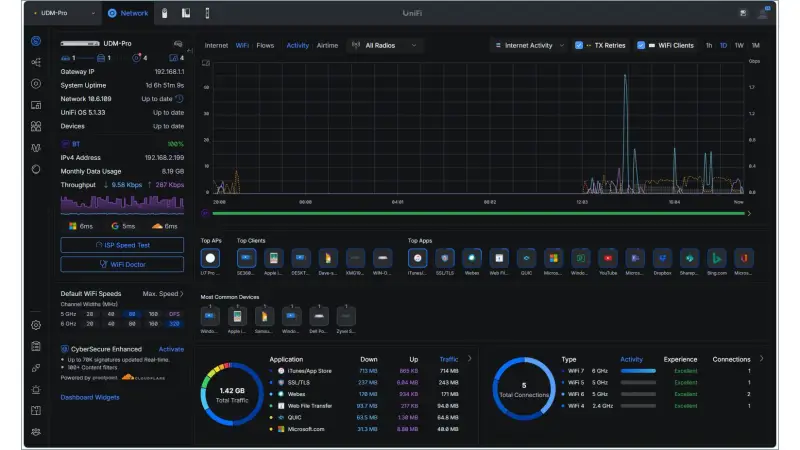
The management console brings together network topology, managed UniFi devices and client traffic details, including detected applications and their bandwidth use. Admins can configure SSIDs, assign radios, set encryption, isolate clients, apply rate limits and configure captive portals. Force Wi-Fi 4 mode is available under IoT Optimization.
Monitoring includes Wi-Fi health, airtime, connected clients and access point performance. The topology view maps device connections, while the traffic monitor animates flows between devices. AirView’s Environment tab shows waveforms and historical waterfall charts for all three bands, giving administrators a way to investigate spectrum use and locate congestion.
Setup and test results
The test setup connected the UDM Pro to a Zyxel XMG1930-30HP 10GbE PoE++ switch, which appeared in the UniFi topology view. After the U7 Pro Max was connected, it showed up in the console, was adopted, received a firmware update and loaded the site’s existing SSIDs. Radio settings let administrators select active bands and channel widths; testing enabled 320MHz Wi-Fi 7 channels and MLO.
Performance testing used a Windows 11 Pro Lenovo desktop with a TP-Link Archer TBE550E Wi-Fi 7 PCIe adapter. A Windows Server 2025 Dell PowerEdge host ran the OpenSpeedTest server and connected to the Zyxel switch over 10GbE. On a single 6GHz link, the client reported a connection speed of 5,764Mbits/sec. Close-range tests recorded uploads of 274MB/sec and downloads of 223MB/sec.
With MLO enabled, the client formed a 2.4/6GHz link and reported 6,453Mbits/sec. The corresponding close-range results rose to 305MB/sec upload and 235MB/sec download. Those results are specific to the test setup and short range; they don’t establish what a deployment will achieve across an office. The access point’s base became quite hot during testing, so installation location and ventilation deserve attention.
Price and specifications
The U7 Pro Max was listed at £236 excluding VAT. The retailer Broadbandbuyer offered a free three-year UniFi Cloud Hosted account, UK-based support and pre-provisioning with the purchase. Its combination of straightforward adoption, detailed monitoring and Wi-Fi 7 performance makes it a strong contender for businesses already using, or considering, the UniFi management platform. Before deployment, check PoE+ availability, channel plans and compatibility needs for older clients.
Type | BE15000 tri-band 2.4/5/6GHz 802.11be |
Radios | 2 x 2.4GHz, 4 x 5GHz, 2 x 6GHz spatial streams |
Mounting | Ceiling or wall mount kit included |
Network and power | 2.5GbE LAN, 802.3at PoE+ |
Dimensions | 206 x 46 x 206mm |
Weight | 680g |
Warranty | Two years standard |


