5 SQL Server Transaction Problems: Isolation Levels, Rollbacks and Savepoints
- Sergey Gigoyan
- 586 views
See why SQL Server transactions block, return inconsistent reads or erase audit data, and which isolation levels and rollback patterns address each problem.
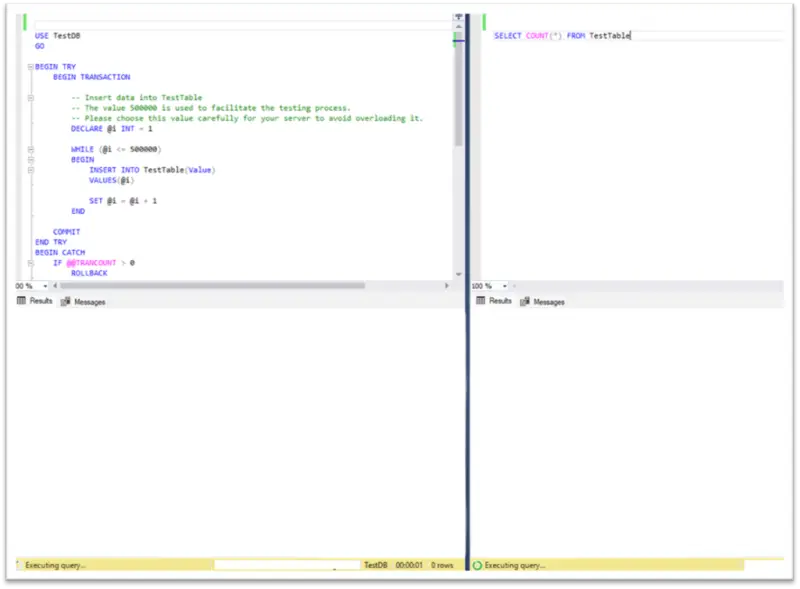
SQL Server transaction problems often show up as surprises: a count query waits behind an insert, two reads in one transaction disagree, or an audit record disappears after rollback. The cause is usually a mismatch between the behavior the code needs and the transaction rules it actually uses.
Five patterns help explain these outcomes. They involve dirty reads, non-repeatable reads, phantom rows, rollback effects on audit data, and the way nested transactions behave. The fixes differ: relaxing isolation can reduce waiting, while stronger isolation or a savepoint can protect consistency. Each choice has a cost, so the right answer depends on what the transaction must guarantee.
The examples below use separate sessions to show how concurrent work changes results. Run each setup independently and recreate its tables before trying the next example. The large insert example uses 500,000 rows for demonstration; choose a workload size that suits the SQL Server instance being used.
1. Checking insert progress without waiting
Suppose TestDB contains a table with an identity key and an integer value:
CREATE TABLE TestTable
(
    ID INT IDENTITY(1,1),
    Value INT
);
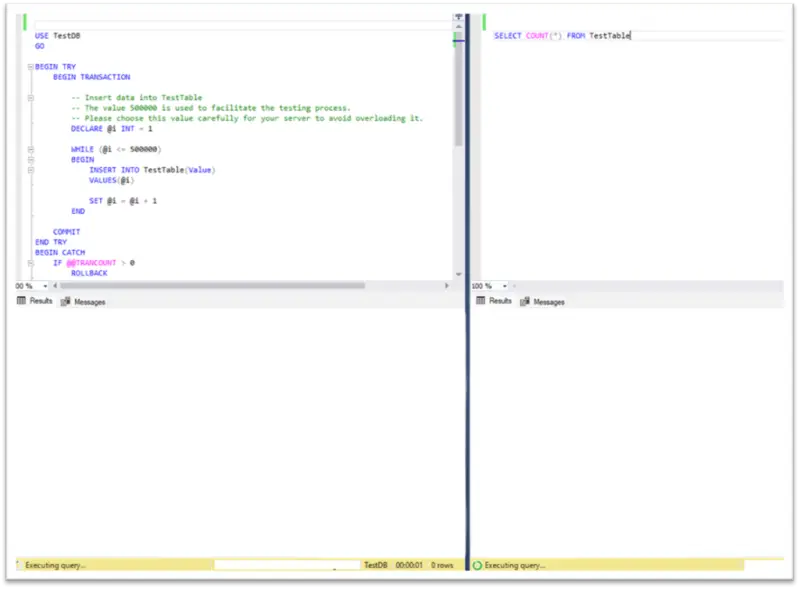
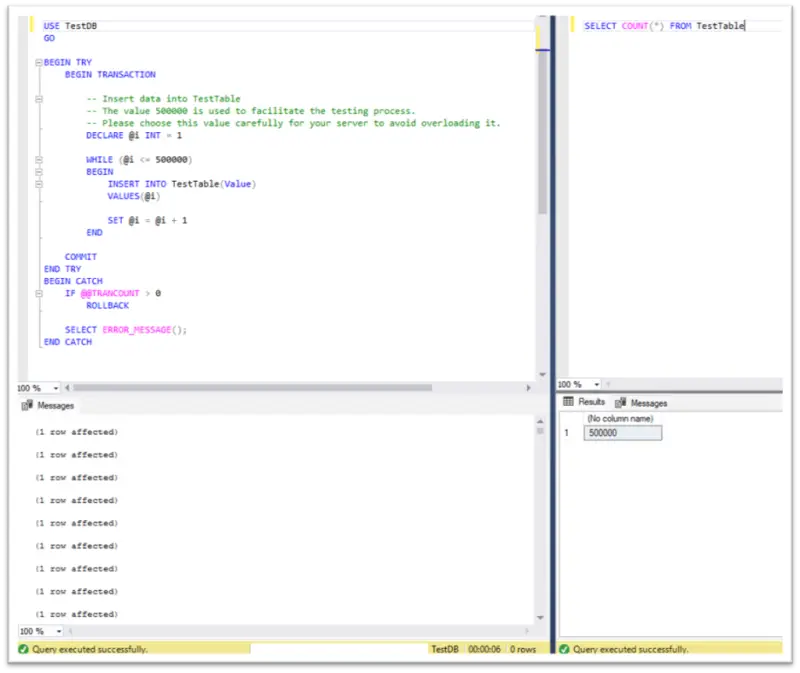
A long transaction inserts rows one at a time. A second session runs SELECT COUNT(*) FROM TestTable to check progress, but the count waits until the insert transaction finishes. With the default locking behavior for READ COMMITTED, SQL Server prevents that query from reading uncommitted rows. That protects it from reporting rows that might later be rolled back, but it also means the count cannot show the in-progress total.
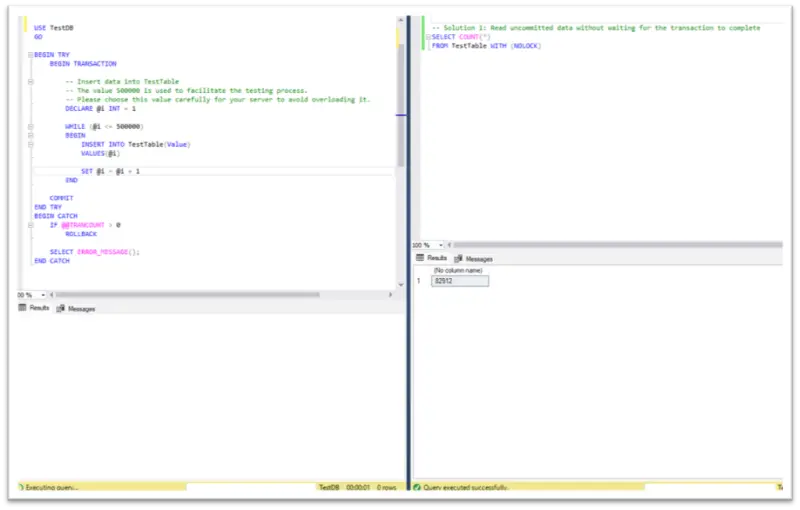
If a temporary estimate is more useful than a committed count, the second session can allow dirty reads with a table hint:
SELECT COUNT(*)
FROM TestTable WITH (NOLOCK);
Or set the session isolation level before running the query:
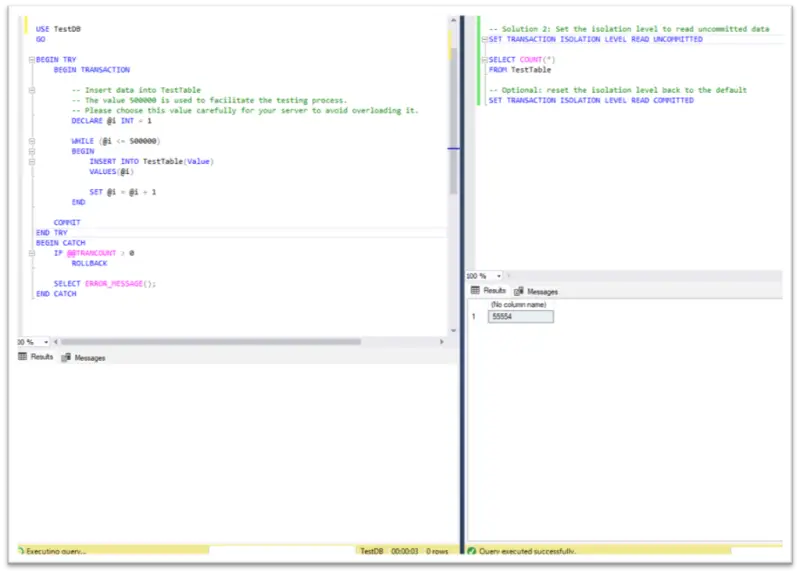
SET TRANSACTION ISOLATION LEVEL READ UNCOMMITTED;

SELECT COUNT(*)
FROM TestTable;

-- Optional: restore the default isolation level
SET TRANSACTION ISOLATION LEVEL READ COMMITTED;
Both approaches let the query read rows that the inserting transaction has not committed. That can make the count useful for observing rough progress, but it is not a reliable record of what will remain in the table. The insert could roll back, removing rows that appeared in the count. Concurrent changes can also make a NOLOCK scan miss rows or read the same row more than once. Treat the result as a momentary, potentially inconsistent view rather than a confirmed total.
The practical choice is about what the number is for. If a monitoring query only needs a rough indication while a load runs, dirty reads may fit. If the count drives a business decision or must reflect committed data, keep the normal isolation behavior and accept that it may wait.
2. Reading two columns from the same row
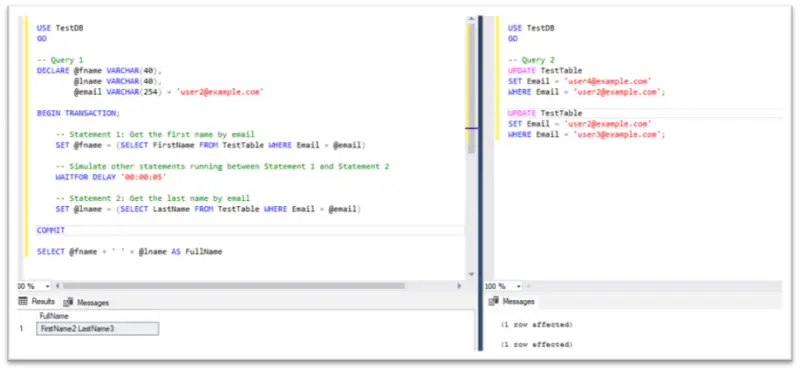
A different problem occurs when a transaction reads one row twice and expects both reads to describe the same person. Consider a table with a primary key, names and a unique email address. A transaction looks up the first name for [email protected], waits while other work runs, then looks up the last name using that same email address.
Under READ COMMITTED, each statement is protected from uncommitted data, but the transaction does not hold a guarantee that both statements see the same row. During the pause, another session can change the email values. The first query may retrieve one person’s first name, while the second finds a different row for the last name. Combining the two values can produce a full name that belongs to nobody in the table.
For example, the two lookups might be written as:
SET @fname =
(
    SELECT FirstName
    FROM TestTable
    WHERE Email = @email
);

WAITFOR DELAY '00:00:05';

SET @lname =
(
    SELECT LastName
    FROM TestTable
    WHERE Email = @email
);
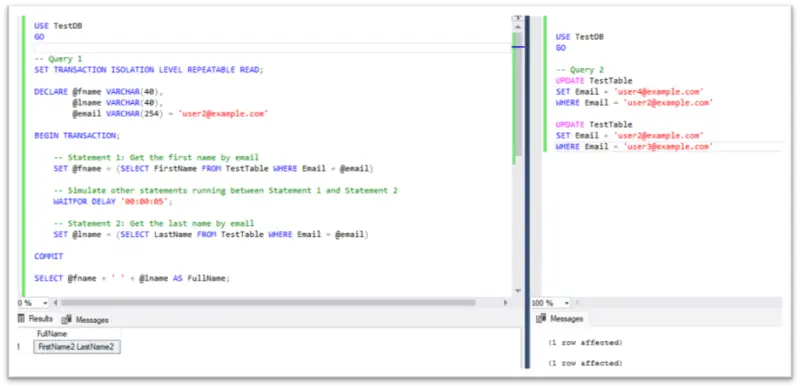
One way to keep the row stable across both reads is to use REPEATABLE READ for the transaction:
SET TRANSACTION ISOLATION LEVEL REPEATABLE READ;

BEGIN TRANSACTION;

-- Read FirstName for the requested email
SET @fname =
(
    SELECT FirstName
    FROM TestTable
    WHERE Email = @email
);

WAITFOR DELAY '00:00:05';

-- Read LastName for the same email
SET @lname =
(
    SELECT LastName
    FROM TestTable
    WHERE Email = @email
);

COMMIT;

SELECT @fname + ' ' + @lname AS FullName;

-- Optional: restore the default isolation level
SET TRANSACTION ISOLATION LEVEL READ COMMITTED;
REPEATABLE READ keeps shared locks on rows read by the transaction until it completes. A concurrent session therefore cannot update those rows between the two statements. The names come from the same row, at the cost of potentially making other work wait.
This is a fit when the transaction needs repeated reads of existing rows to remain stable. The key distinction from the first case is the requirement: the goal is not to see tentative changes sooner, but to prevent a row already read from changing before the transaction finishes.
3. Keeping a row count stable across statements
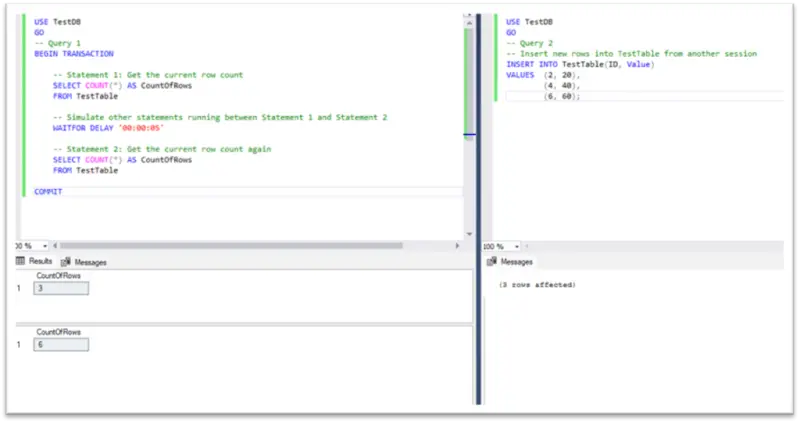
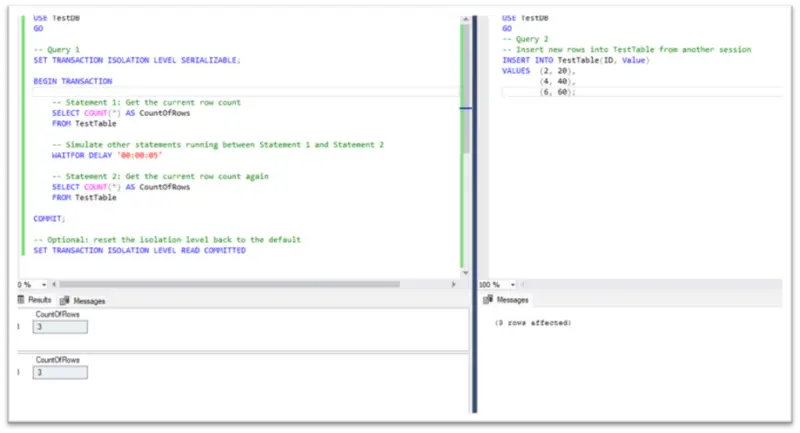
A transaction can also return different counts in its first and second statements without inserting or deleting any rows itself. In this example, TestTable starts with IDs 1, 3 and 5. One session counts the rows, pauses, and counts again. While it waits, another session inserts IDs 2, 4 and 6.
With the default READ COMMITTED isolation level, the second count can see the new committed rows. Each statement gets a valid read, but the transaction as a whole has not been promised a fixed set of rows. The new rows are called phantom rows because they appear in a later read that uses the same search range.
To prevent inserts into the range read by the transaction until it finishes, use SERIALIZABLE:
SET TRANSACTION ISOLATION LEVEL SERIALIZABLE;

BEGIN TRANSACTION;

SELECT COUNT(*) AS CountOfRows
FROM TestTable;

WAITFOR DELAY '00:00:05';

SELECT COUNT(*) AS CountOfRows
FROM TestTable;

COMMIT;

-- Optional: restore the default isolation level
SET TRANSACTION ISOLATION LEVEL READ COMMITTED;
SQL Server protects the relevant range so another transaction cannot add matching rows between the two reads. Both statements then return the same count, provided this transaction does not change the rows itself.
That consistency comes with a concurrency cost. An insert that would fall in the protected range may have to wait for the serializable transaction to finish. Use this isolation level when the transaction requires a stable set of rows across multiple statements, and account for the additional blocking it can create.
4. Keeping audit data after rollback
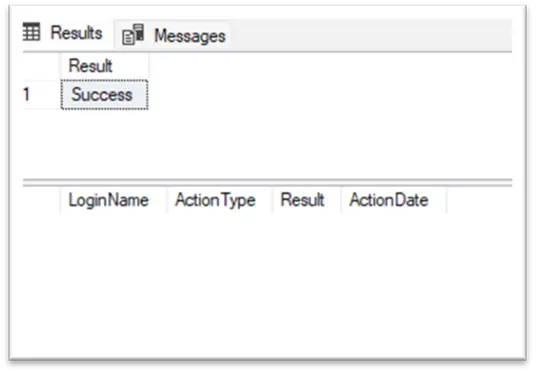
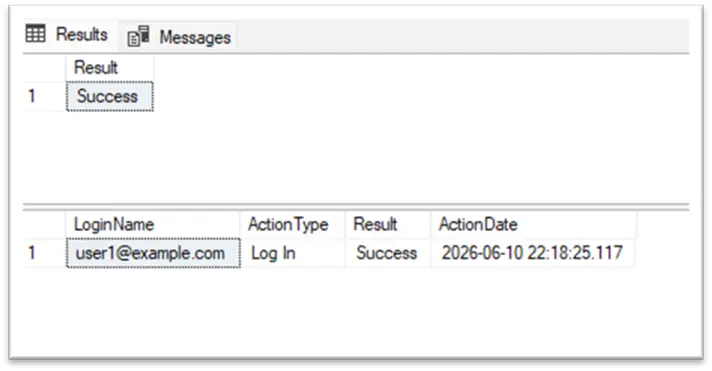
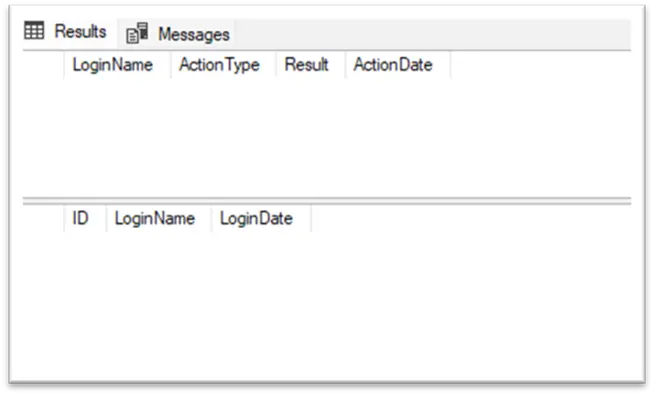
Audit records can vanish when they are written inside the same transaction as work that later fails. The example uses a LoginAudit table and a temporary table. Authentication checks whether a login name and password hash match a row in UserData, then stages the result in #tmpAudit. If the transaction rolls back, that staged change is rolled back too. Copying it into LoginAudit afterward produces no record.
A table variable behaves differently in this example: its contents survive a transaction rollback. Store the audit details in a table variable, roll back the transaction, then insert those details into the permanent audit table:
DECLARE @tbvAudit TABLE
(
    LoginName VARCHAR(254),
    ActionType VARCHAR(10),
    Result VARCHAR(7)
);

BEGIN TRANSACTION;

-- Check credentials and set @Result to 'Success' or 'Fail'

INSERT INTO @tbvAudit (LoginName, ActionType, Result)
VALUES (@LoginName, 'Log In', @Result);

ROLLBACK;

INSERT INTO LoginAudit (LoginName, ActionType, Result)
SELECT LoginName, ActionType, Result
FROM @tbvAudit;
Because the table variable retains its row after ROLLBACK, the subsequent insert can preserve the result in LoginAudit. This is the behavior demonstrated by the example; the temporary-table approach does not provide the same result because rollback removes its transactional insert.
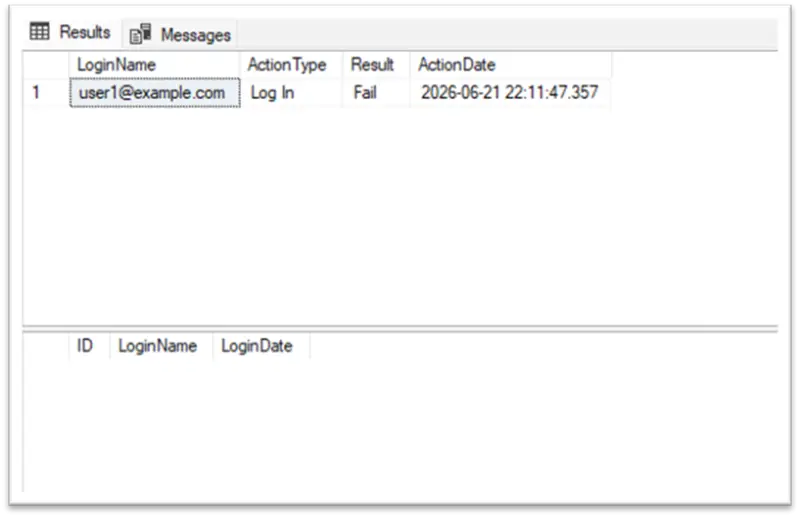
The sample simplifies authentication to focus on transaction behavior. In a real system, credential checking and audit logging need to be designed around the system’s security and record keeping requirements. The important transaction lesson is narrower: decide whether a record should be undone along with the operation it describes. If it must remain after rollback, placing it in the same transactional work can defeat that requirement.
5. Rolling back only part of a transaction
SQL Server does not treat a nested BEGIN TRANSACTION as an independently rollbackable transaction. In the example, the outer transaction inserts a failed-login record into LoginAudit, then a nested transaction inserts a row into UserLogin. The developer expects a plain ROLLBACK inside the nested section to undo only the login row.
It instead rolls back the entire transaction, including the audit insert. The nesting changes the transaction count, but it does not create a separate unit that a normal rollback can undo on its own.
To preserve the first insert while undoing later work, create a savepoint after writing the audit record. If the subsequent operation fails, roll back to that named point and then commit the remaining transaction:
BEGIN TRANSACTION;

INSERT INTO LoginAudit (LoginName, ActionType, Result)
VALUES (@LoginName, 'Log In', 'Fail');

SAVE TRANSACTION AuditInserted;

INSERT INTO UserLogin (LoginName)
VALUES (@LoginName);

IF @SomethingWentWrong = 1
BEGIN
    ROLLBACK TRANSACTION AuditInserted;
END;

COMMIT;
The rollback to AuditInserted undoes work performed after the savepoint, leaving the audit insert in place. The final COMMIT commits the remaining transaction. In this example, that means the row in UserLogin is removed while the row in LoginAudit remains.
There is an important limit: some errors leave a transaction uncommittable, in which case rolling back to a savepoint may not be possible. The example demonstrates a simulated failure and does not cover every error state. Transaction error handling needs to account for whether the current transaction can still be committed or partially rolled back.
Match the isolation or rollback behavior to the requirement
These five cases point to the same operational habit: write down what each transaction must guarantee before choosing its isolation level or rollback pattern. A progress count may tolerate uncommitted rows. A repeated lookup may need to keep the row stable. A count across a transaction may need protection from new rows. An audit record may need to survive an operation’s rollback, while a savepoint may be needed to undo only later work.
Those requirements affect concurrency. Lowering isolation can expose inconsistent data; raising it can hold locks longer and block other sessions. Table variables and savepoints address specific rollback behaviors, but they do not remove the need to handle errors and decide which records should persist.
Test concurrent transaction behavior with independent sessions and realistic workloads before applying a pattern to production code. Pay particular attention to what can be read, what other sessions must wait for, and which writes remain after rollback. Those are the details that determine whether the transaction’s result is merely plausible or actually correct.


