Build a Type 2 Customer Dimension in Microsoft Fabric with dbt Snapshots
- Koen Verbeeck
- 400 views
Use a dbt snapshot to track customer changes, manage deletes and build a Type 2 dimension in Microsoft Fabric.

For a Type 2 customer dimension, the key operational choice is how often to capture source changes. dbt’s snapshot command handles the history table and change detection, while a regular dbt model can shape that history into the dimension your warehouse needs. In Microsoft Fabric, the workflow uses a view for customer business logic, a YAML snapshot configuration and a final dimension model.

The approach suits teams that need to report on customer attributes as they were at a particular point in time. A Type 1 dimension overwrites an old value when it changes; Type 2 retains earlier versions by inserting a new row and tracking each version’s validity period. For example, a customer’s new address becomes a separate version, leaving the previous address available for historical analysis.
Prepare a view with the customer attributes
Start by moving the existing DimCustomer.sql model’s business logic into a view named vw_DimCustomer.sql. The view joins customers to their main office address, assembles a customer name, and supplies N/A for missing values in selected attributes. It returns the latest customer state available from the source tables.

The model is configured as a view and reads the AdventureWorksLT Customer, CustomerAddress and Address sources. Its main office common table expression filters addresses to AddressType = 'Main Office'. A second expression selects the customer attributes that will appear in the dimension, including company, salesperson, email, phone and address details.
Add an SCD2_Hash column to the view. In the example, SQL Server’s HASHBYTES function calculates a SHA2-256 hash from a concatenated string of customer attributes, and CONVERT casts the result to text. That gives the snapshot a single value to check for changes across the tracked attributes.
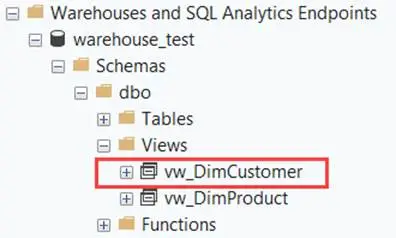
The hash needs to reflect the fields whose changes should create a new historical version. If the tracked fields change, the resulting hash should change too. This is the part to review when adapting the example: the snapshot can only detect what its configured check column represents.
Configure the snapshot
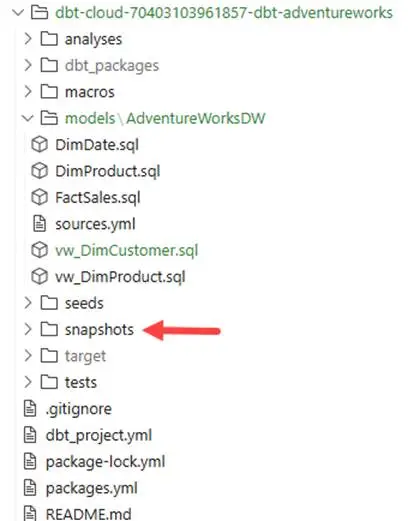
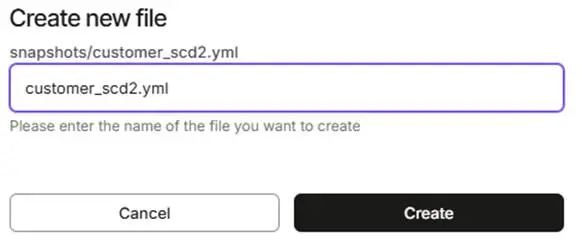
Create a YAML file named customer_scd2.yml in the dbt project’s snapshots folder. A snapshot is a configuration specification, rather than a SQL SELECT model. The example configuration is:
snapshots:
  - name: customer_scd2
    relation: ref('vw_DimCustomer')
    config:
      schema: snapshots
      unique_key: CustomerID
      strategy: check
      check_cols: ["SCD2_Hash"]
      hard_deletes: "new_record"
      dbt_valid_to_current: "CONVERT(DATE,'9999-12-31')"
The snapshot is called customer_scd2 and reads from vw_DimCustomer through dbt’s ref function. That reference records the dependency in dbt’s project lineage. The output goes into the snapshots schema, and CustomerID is the unique key that identifies each customer across versions.
The check strategy compares the configured check_cols value between runs. Here, that value is SCD2_Hash. When the hash changes for a customer, dbt can close the prior version and add a new one. This strategy is useful when the source does not provide a suitable last-modified timestamp.
dbt also supports a timestamp strategy. That option relies on a source datetime column indicating when a row was last changed; the snapshot configuration must identify that column. The choice depends on the source data: use the timestamp approach when a dependable change timestamp exists, and the check approach when it does not.
Delete handling is controlled by hard_deletes. The default, ignore, leaves the last known version active in the snapshot. invalidate closes the version by setting its valid-to value. The example uses new_record, which adds a record marked with dbt_is_deleted to show that the source row was deleted.
The optional dbt_valid_to_current setting assigns a chosen value to the current row’s dbt_valid_to field. Without it, the current version has a NULL valid-to value because it has not been closed. The example uses CONVERT(DATE,'9999-12-31') as the sentinel value. Choose a convention that downstream queries and reports can handle consistently.
Run the snapshot and inspect its metadata
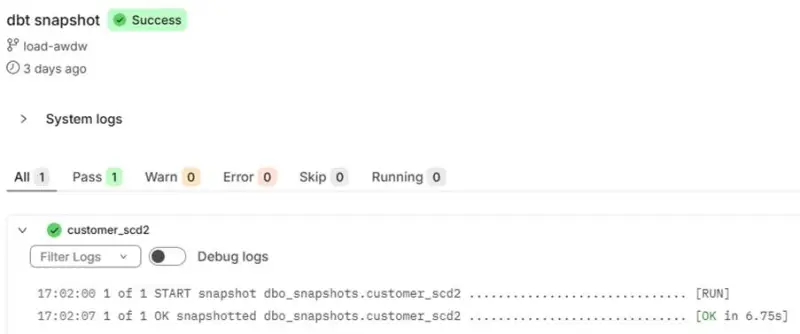
Run dbt snapshot to create or refresh the configured snapshots in the project. On its first run, dbt creates the table in the configured schema. Later runs compare the current view results with the stored snapshot and record changes according to the selected strategy and delete settings.
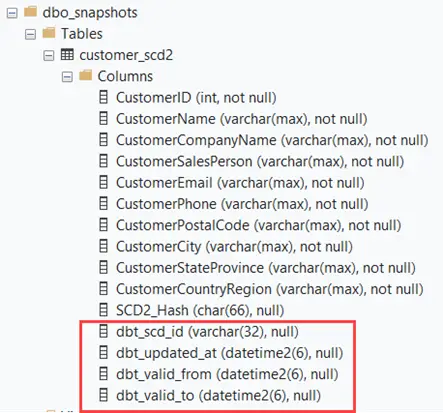
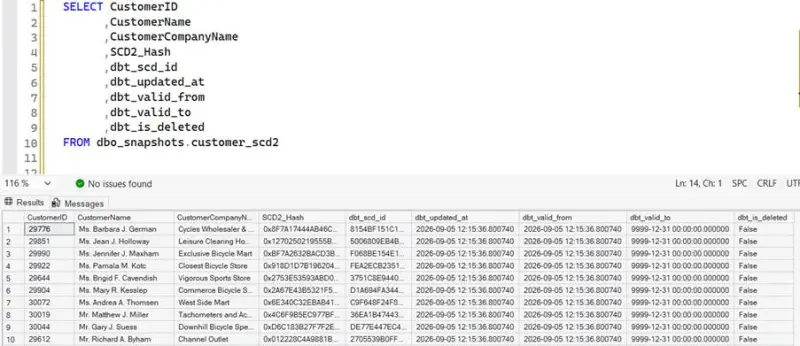
The snapshot table includes dbt metadata alongside the customer columns. dbt_scd_id uniquely identifies a version and can serve as the dimension’s surrogate key. dbt_updated_at records when dbt last modified the row during snapshot processing. dbt_valid_from and dbt_valid_to describe the period when a version was active. dbt_is_deleted marks rows added to record deletions when the chosen configuration calls for them.
Those timestamps reflect snapshot processing and the configured behavior. The table’s history is therefore tied to when snapshots run: a change that occurs between runs is captured when a later run observes it. Run snapshots at a cadence that provides the level of historical detail the analysis requires.
Capture a change and a deletion
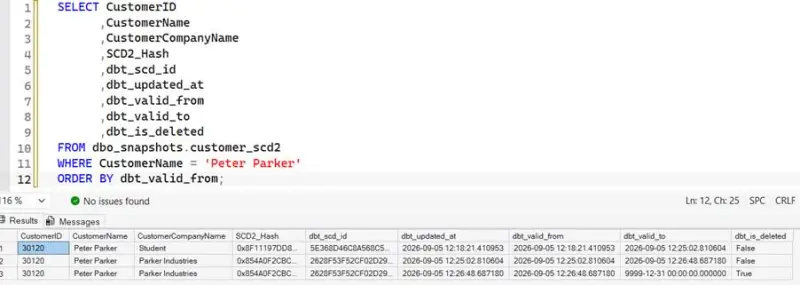
The example demonstrates the sequence by inserting a customer, changing the company name, and then deleting the customer. Run dbt snapshot after each database change to capture each state:
INSERT INTO [SalesLT].[Customer]
    ([FirstName], [LastName], [CompanyName], [PasswordHash], [PasswordSalt])
VALUES
    ('Peter', 'Parker', 'Student', 'N/A', 'N/A');

-- Run dbt snapshot

UPDATE [SalesLT].[Customer]
SET CompanyName = 'Parker Industries'
WHERE CustomerID = 30120;

-- Run dbt snapshot

DELETE FROM [SalesLT].[Customer]
WHERE CustomerID = 30120;

-- Run dbt snapshot
The example expects the inserted row to use CustomerID 30120, but the value depends on the database. Check the ID assigned in your environment before running the update and delete statements. With the three snapshot runs, the example produces three history records: the inserted state, the changed state and the deletion record.
You can run dbt snapshot as often as the required history granularity calls for. dbt build also runs snapshots as part of its project workflow, while dbt run does not run them. That distinction matters when choosing a scheduled command: running models alone will not refresh snapshot history.
Build the final dimension model
Once the snapshot table contains the history, create the final DimCustomer.sql model from it. The example uses a separate macro, load_dimension_scd2, based on a Type 1 dimension loading macro. Its relation name is built from the dimension name with the _scd2 suffix, so the Customer dimension reads from customer_scd2.
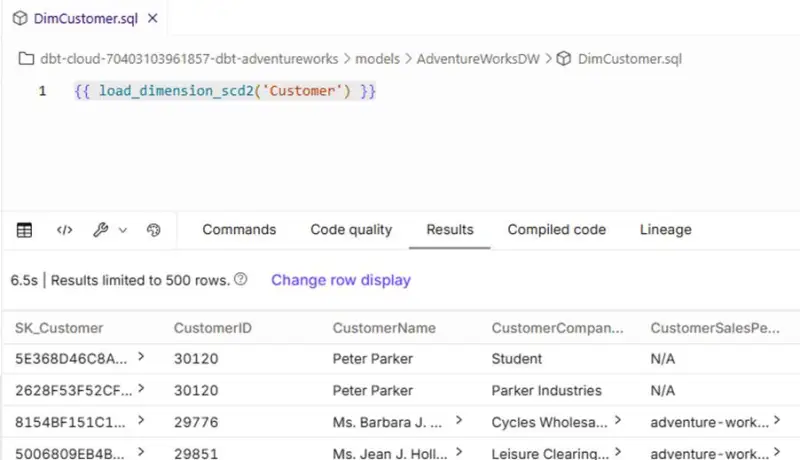
The macro gets the snapshot relation’s columns through the adapter, then selects the snapshot identifier as the surrogate key. It loops over the remaining columns while excluding names that begin with dbt_, so dbt’s internal metadata is not passed through as ordinary customer attributes.
The macro then adds selected metadata back with dimension-friendly aliases: dbt_valid_from becomes ValidFrom, dbt_valid_to becomes ValidTo, dbt_is_deleted becomes the deletion indicator, and dbt_updated_at supplies both InsertDate and UpdateDate. The model calls the macro with {{ load_dimension_scd2('Customer') }}.
Because the dimension uses dbt_scd_id from the snapshot table, rerunning the model recreates its output from the same version identifiers. The approach separates responsibilities: the snapshot maintains change history, and the model shapes that history for dimension consumers. The Type 1 and Type 2 macros could also be consolidated, with parameters and logic to select the required dimension behavior.
Decide which attributes need history
In this setup, the hash covers the chosen customer attributes, so a change to any represented attribute can create a new version. That may be appropriate when analysts need the full customer record as it was at a given time. If only some fields require history, a single all-fields snapshot may capture more change detail than the dimension needs.
A mixed Type 1 and Type 2 dimension is possible. Snapshot only the attributes that need historical versions, build a regular view for the Type 1 attributes, and join the results on the business key. The Type 1 values then reflect the current source state, while the snapshot supplies history for the selected Type 2 fields.
Snapshots are also optional. Custom SQL and merge logic can implement Type 2 behavior when a project has requirements the built-in configuration does not meet. The trade-off is that the team must own that change detection and history handling. For a standard dimension, dbt snapshots provide a shorter route to versioned records; for a specialized design, custom logic gives more direct control.
For Fabric teams, the practical checks are the business key, the fields represented by the hash, the snapshot run schedule and the delete policy. Confirm those choices before relying on the dimension for time-based analysis, then make sure downstream queries interpret current and deleted records according to the configured validity fields.


