Exchange Online EWS Retirement Set for April 1, 2027: What Administrators Should Check
- Tony Redmond
- 555 views
Microsoft plans to retire EWS from Microsoft 365 on April 1, 2027. Review the usage report, identify app owners and plan replacements.
Exchange Online applications that still depend on Exchange Web Services (EWS) have a fixed deadline: Microsoft plans to retire EWS from Microsoft 365 on April 1, 2027. After that date, applications will no longer be able to use EWS to communicate with Exchange Online. For administrators, the immediate task is to find every remaining dependency and establish who can update or replace it.
This can take more work than the deadline suggests. EWS may sit behind a business application, an Outlook add-in or a client-side tool that administrators don’t routinely manage. Some dependencies may have moved into the tenant with an on-premises application; others may be custom code whose original developers have left. The service can appear healthy right up until an application tries to connect after EWS has been disabled.
Map dependencies before users encounter failures
Microsoft says affected applications may show repeated credential prompts or errors stating that EWS is unavailable. The visible symptom may be simple, but resolving it can require tracing the application to its owner, locating maintainers and deciding whether to change its code or replace it. If a workflow supports an important business process, discovering that chain only after users report a failure leaves less time to act.
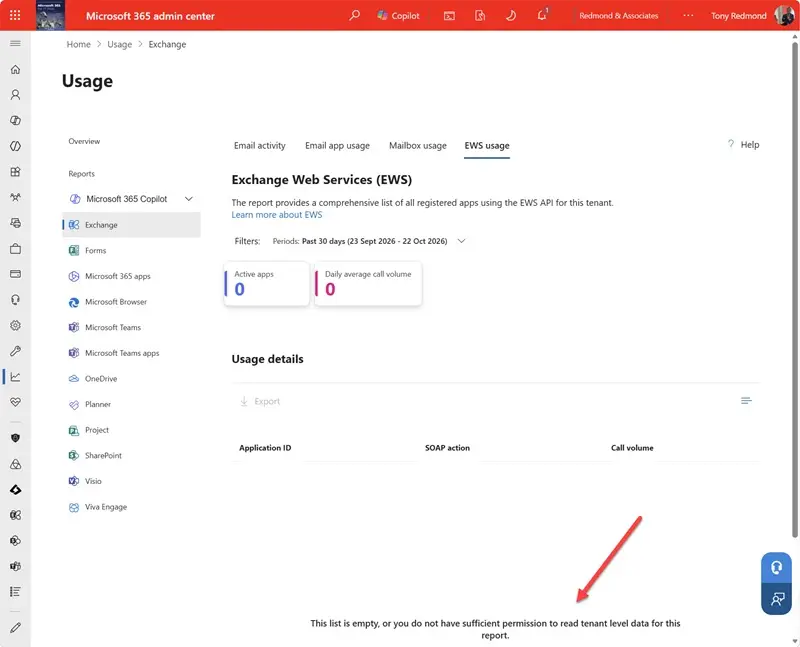
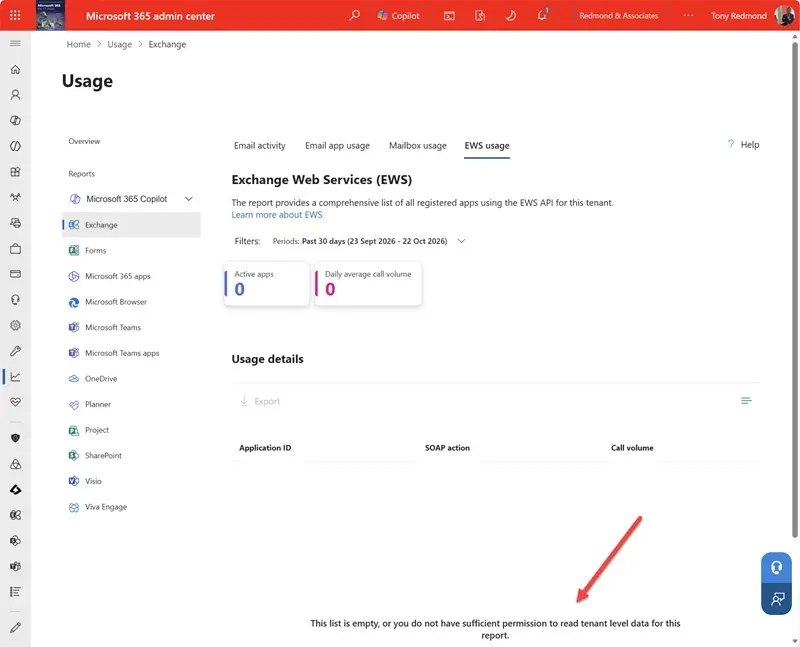
Start with the EWS usage report in the Microsoft 365 admin center. It can help identify application identifiers associated with EWS use, giving administrators a starting point for investigation. Microsoft says the EwsAllowedAppIDs allow list has been populated with applications detected using EWS during the previous 60 days. Administrators can review those entries and add other application identifiers when needed. Changes to the list can take up to 24 hours to take effect.
The list is useful evidence, but an identifier may not tell an administrator which product or internal team owns the dependency. Match each entry to an application name, vendor or service owner, then record what the application does and what a replacement would need to support. Where the owner is unknown, the identifier still gives the IT team a concrete lead for inventory work.
A third-party tool is available to help resolve EWS application identifiers to names and status information. Its developer is Brendan Nolan-Cattanach, and it is presented at ewsappid.com. Administrators should assess whether it fits their own requirements before using it. The Microsoft 365 admin center also provides an EWS usage report for reviewing tenant activity.
Treat re-enabling EWS as temporary
Microsoft plans to notify tenants through the message center before disabling EWS. The notices described include “Action may be required: EWS will be disabled in your tenant in 7 days,” followed by confirmation that “EWS has been disabled in your tenant.” Administrators should monitor these messages and use them to coordinate with application owners, especially when the inventory is incomplete.
If an application stops working after EWS is disabled for a tenant, administrators can re-enable EWS through Baseline Security Mode settings in the Microsoft 365 admin center or by changing the tenant configuration with Exchange Online PowerShell. That option can provide time to investigate and restore service while a longer-term fix is prepared. It does not alter the retirement date: Microsoft still plans to remove EWS from Microsoft 365 on April 1, 2027.
That distinction matters for change planning. A temporary restoration can help teams avoid an extended interruption while they work through a migration, but it should be tied to a clear remediation plan and owner. Otherwise, it can postpone the discovery of dependencies without reducing the work needed before retirement.
Plan replacements and track progress
For applications maintained in-house, the next step is to assess the work required to move away from EWS. Microsoft points administrators toward modern APIs, including Microsoft Graph. Teams will need people who understand the application’s existing behavior and the APIs it can move to; identifying that expertise early helps establish whether an update is practical or whether the application needs replacing.
For vendor products, contact the supplier and confirm its plan for EWS retirement. Record the expected replacement or update, any tenant configuration changes it requires, and when it will be available. The source material provides no specific migration dates or product-by-product compatibility details, so administrators should verify those points with each vendor rather than assume a replacement is ready.
A practical inventory can capture the application identifier, product or service name, business owner, technical contact, observed usage, remediation route and current status. Review it alongside the EWS usage report as teams investigate entries and as application changes are made. That makes it easier to distinguish a dependency that has been replaced from one that has simply stopped appearing in recent activity.
Microsoft’s experience with retiring older Exchange protocols suggests the company expects to provide tenant guidance during the process. Even so, the inventory and remediation work sit with each organization: an unrecognized application may not be noticed until it fails. Administrators who check the report, identify owners and agree on replacements now will have more options when the tenant notices arrive. After April 1, 2027, EWS will no longer be available to client applications in Microsoft 365.