Claude Adds Meeting Assistant, Whiteboards and Spreadsheets for Workplace Teams
- John Martinez
- 496 views
Claude Meetings is headed to Google Meet and Microsoft Teams in beta, alongside new collaboration tools that raise rollout and data control questions for IT.
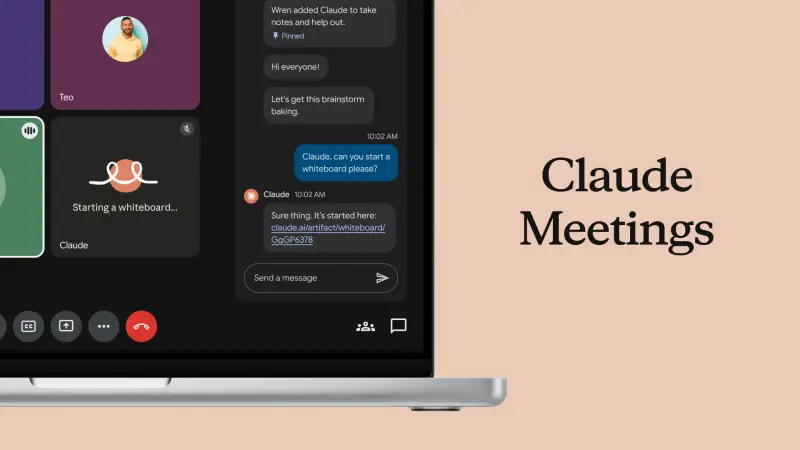
Anthropic is extending Claude into the work people do around a conversation: attending meetings, organizing brainstorming sessions, working with spreadsheets and opening third-party apps. For IT teams, the most consequential addition is Claude Meetings, a beta feature planned for Google Meet and Microsoft Teams. It brings meeting notes and follow-up actions into the same service where users can access Claude’s other work tools.
The expansion builds on Claude Docs and Slides, which Anthropic announced in September. Its latest set of features includes Claude Meetings, Claude Whiteboard, Claude Sheets, Claude Data and expanded interactive connectors. Together, they give users more ways to create and manage work inside Claude, while adding questions about meeting access, data handling and administrative control.
Claude Meetings brings notes into Claude
During a video meeting, users can add Claude to take notes, answer questions in the meeting chat, retrieve information from connected apps, and create project plans and timelines. After the call, participants can find notes and action items in claude.ai, Claude’s browser-based service. Anthropic says the feature is planned for Google Meet and Microsoft Teams.
Claude Meetings is expected to launch in beta “soon” for customers on Claude Team and Enterprise payment plans. The feature is on by default for Claude Team customers, so administrators should account for that setting when planning a rollout. If a meeting includes external guests, Claude requires administrator approval to join; without approval, it leaves the meeting.
Anthropic says Claude identifies itself and posts a notice in the meeting chat. That notice doesn’t settle the consent question for every organization: requirements vary by location and company rules. Craig Durr, chief analyst at The Collab Collective, recommends that IT teams establish procedures for obtaining participants’ consent before enabling the feature. He says IT, legal and HR should agree on the meetings where Claude may join.
For administrators, the practical review should include the organization’s meeting platform, connected repositories, privacy expectations and support process. Gartner analysts describe Claude Meetings as a beta entrant in an established category and advise businesses to wait until it has demonstrated that it fits their approved systems and operating requirements. They also identify granular meeting controls, retention, auditability, repository synchronization and predictable costs as areas Anthropic still needs to demonstrate for enterprise use.
A crowded field and an open governance question
Claude Meetings overlaps with features already available from Microsoft Teams Copilot, Zoom My Notes and Webex’s meeting agent. It also competes with standalone services such as Otter and Granola. Irwin Lazar, principal analyst at Metrigy, says the appeal is having meeting context available directly in Claude, without manually copying notes or relying on access mechanisms that may carry additional charges.
That integration could reduce the steps between a discussion and the work that follows it. A user can ask Claude for information from connected apps during a call, then use the resulting notes or action items afterward. The value for a team will depend on whether those steps fit its existing meeting and information handling practices, and whether the assistant produces better outcomes than tools already in place.
For now, Claude only acts when users instruct it. An Axios report quoted Anthropic product leader Nicholas Lin saying the tool could become more proactive over time. Durr says that change would raise a different governance question: an assistant acting without a direct user request would have a different role in a meeting. IT teams should track changes to the feature’s behavior as well as its availability, and reassess their rules if its actions become less user-directed.
Whiteboards, spreadsheets and reports
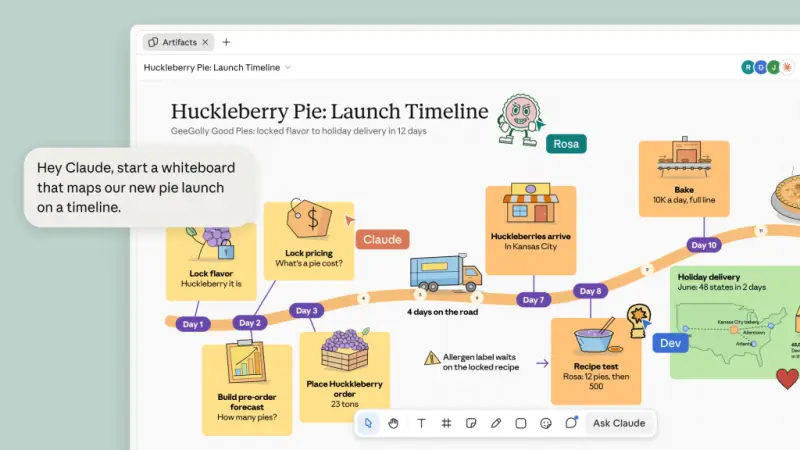
Claude Whiteboard gives coworkers a shared canvas for brainstorming. Teams can discuss ideas, and Claude can turn those discussions into a board containing a timeline, task owners and due dates. It is in beta for paid Claude plans and is available on the web, mobile and desktop. Customers with Claude Team and Enterprise plans can also use whiteboards inside Claude Meetings.
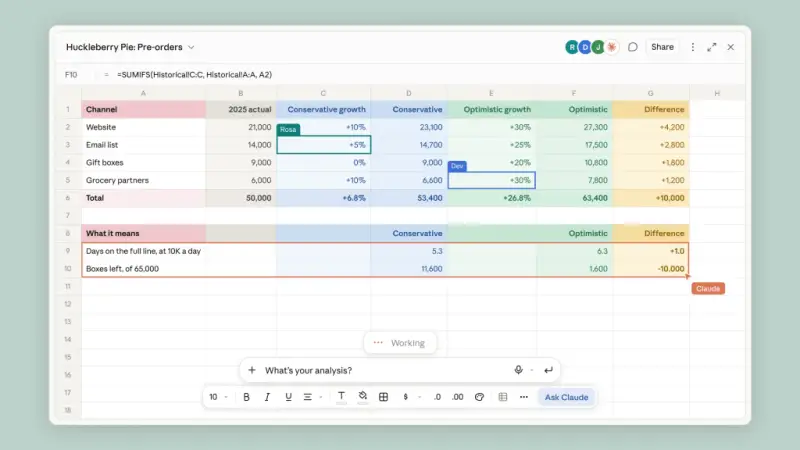
Claude Sheets, a collaborative spreadsheet tool, is also in beta. Claude Data, previously called Claude Dashboards, is now generally available for creating interactive charts and reports. Anthropic includes both tools in paid Claude subscriptions. Teams evaluating them will need to consider how the tools fit with their existing spreadsheet and reporting workflows; the available details don’t specify further licensing tiers or migration requirements.
Interactive connectors open full apps
Anthropic has also expanded its interactive connectors, which bring third-party applications into Claude. The feature first launched in January to let users access other apps from Claude’s chat interface. The updated connectors can open supported apps in full, either beside a Claude conversation or in a full-screen view. Users can also ask Claude to make changes within an embedded app, such as editing a document or retouching an image.
Adobe, Box and Notion are among the first supported applications, Anthropic says. Interactive connectors are available across Claude plans on the web and in the desktop app. They follow existing user permissions for file access, and administrators can limit the actions each connector can perform.
That permission model gives administrators a starting point for connector review, but each organization will still need to check which apps are available and which actions are enabled. The broader rollout question is whether Claude’s new work surfaces meet existing requirements for access, privacy, support and cost. For Claude Meetings in particular, administrators can begin by reviewing the default Team setting, external guest approval and consent procedures before the beta arrives.


