Preparing Microsoft Copilot Autopilot: Build the Knowledge Base First
- Simon Doy
- 1,000 views
Copilot Autopilot could take on ongoing work, but a useful digital twin will need clear guidance on your role, decisions, boundaries and routines.

Microsoft Copilot Autopilot could make an AI assistant useful beyond one request at a time. The harder part for teams and individuals may be preparing the guidance that lets it act in a way they can trust. That means spelling out responsibilities, decision rules, working habits and the situations where a person should take over.
I haven’t had access to Autopilot or Copilot Studio’s Persistent Agents, which Microsoft describes as a way to delegate shared business processes to agents that can be more persistent and proactive. The feature set is still something to assess as it becomes available. But there’s practical preparation to do now: work out what an agent would need to know before giving it an ongoing role.
From answering prompts to owning a continuing task
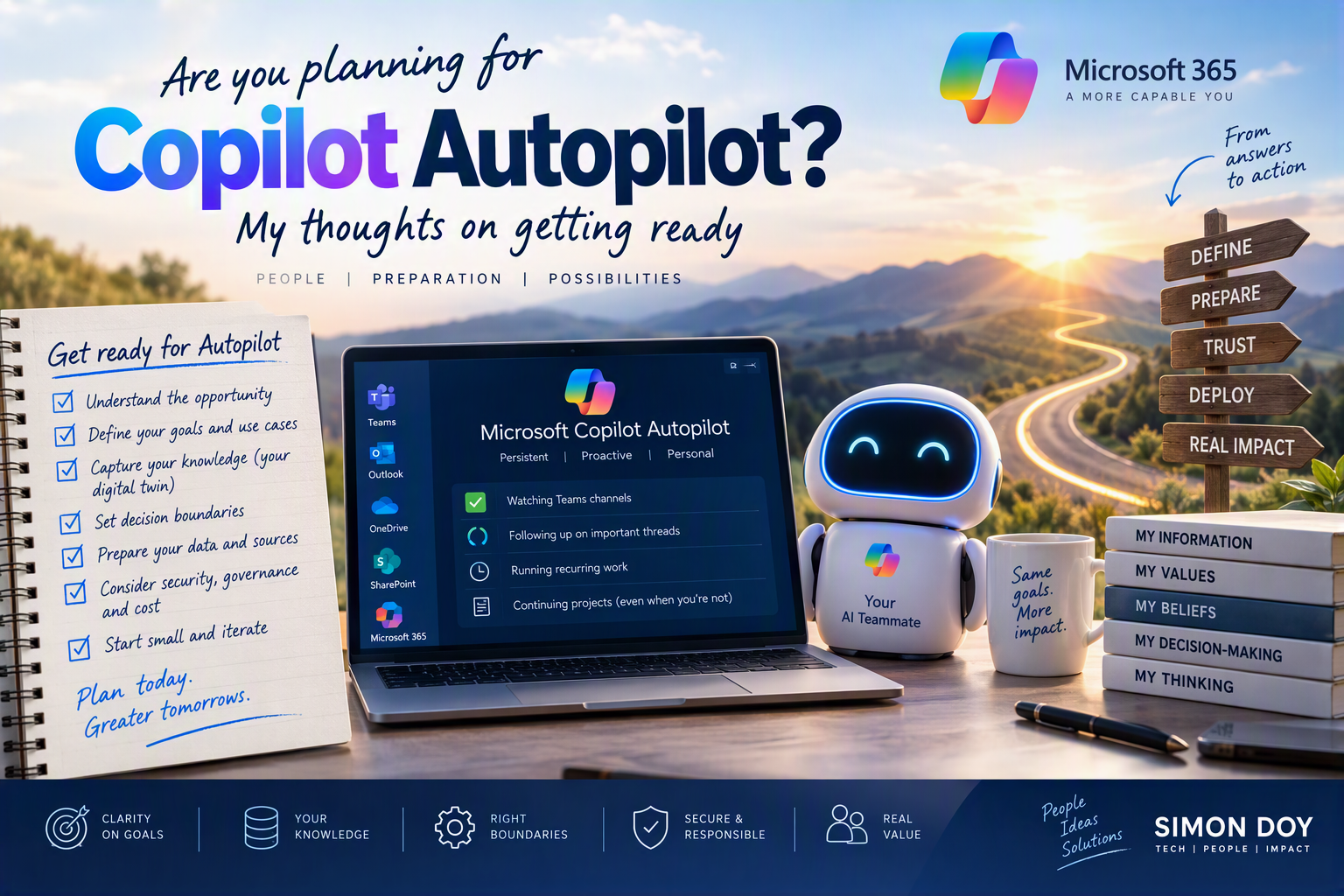
Copilot Autopilot is described as a move from answering requests to working proactively toward a continuing objective. Microsoft characterizes it as a “persistent, proactive and personal agent that keeps working even when you’re not”. The practical distinction is between asking a question, delegating a task, and giving an agent a role and goal with boundaries for its work.
Reported examples include monitoring Teams channels, following up on chat threads, handling recurring work and returning to a project after several days. Each agent is described as having its own identity, memory and workspace in a Microsoft 365 environment. The author’s understanding is that users may be able to create multiple agents, name them and act as their manager, assigning each a specific purpose.
That points toward a different kind of assistant: one that can keep track of work between interactions. It also raises questions about access, oversight and cost. Autopilot is described as using usage-based billing, so the amount and type of work delegated could affect what users pay. Organisations will need to understand the billing model and controls before relying on agents for regular tasks.
The possibility that interests me most is a “digital twin”: an agent that understands how a person works, handles low-risk questions and decisions, and passes more sensitive or complex matters back to that person. That could save time, but only if the agent knows where its authority ends. Without clear limits, a system that acts proactively can also make the wrong call proactively.
Start with the person behind the decisions
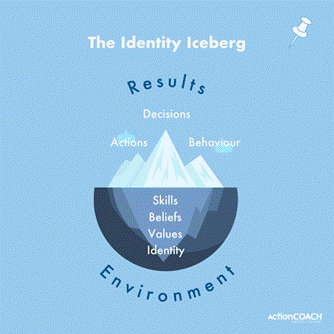
A useful personal agent needs more than a biography or a folder of past documents. It needs a working picture of how someone weighs evidence, handles competing priorities, communicates and decides when to ask for help. One way to think about this is an identity iceberg: visible actions and skills sit above less visible beliefs and values that shape those actions.
Those deeper influences can come from experience, upbringing, environment and personal principles. They may change over time, but they’re harder to capture than a job title or a recurring meeting. For an agent, the point isn’t to produce a complete account of a person. It’s to make the information that affects work explicit enough to guide decisions.
A personal knowledge base could cover five areas:
- Information: Which sources are authoritative, what commitments are current, and which material is out of date.
- Values: Which principles should guide actions, especially when priorities conflict.
- Beliefs: What assumptions the person works from, what supports them, and what evidence could change their mind.
- Decision-making: The criteria, trade-offs, acceptable risks and approval boundaries used to make choices.
- Thinking: Examples of earlier decisions, the alternatives considered and the reasons for choosing one.
Past examples can help, but they don’t automatically explain the reasoning behind them. A strong knowledge base should capture why a choice was made, what conditions mattered and whether those conditions still apply. That gives an agent more useful guidance than simply copying a previous answer.
Give the agent a narrow authority to begin
Decision rules should say both what an agent can handle and what it must route to a person. A whitelist is a sensible starting point: identify a small set of low-risk tasks, then define the conditions under which the agent may act. Anything outside those conditions should be referred for review.
Possible examples include recommending iThink 365 products and services to colleagues, approving expense receipts under £150, or helping process holiday requests. The last example shows why a short instruction such as “approve leave” isn’t enough. A process might also need to check who else is away, whether the person has enough leave available and whether the request involves too much time off.
Those are examples to consider, not confirmed Autopilot capabilities or tested approval workflows. The actual controls, decision quality and implementation options will depend on the features Microsoft provides. Organisations will need to check what the product supports before assigning agents responsibilities that affect people, spending or customer commitments.
Build the profile through structured questions
One practical way to collect this material is an interview that works through each area and records the answers. A series of guided questions could become reusable skills for an agent to run, drawing on approaches such as Matt Pocock’s Grill Me with Docs skill. The aim is to build a body of useful, reviewed guidance rather than collect answers without context.
Begin with identity and responsibilities. Ask what the person owns, what they delegate, what outcomes they’re responsible for and where their expertise begins and ends. For a CEO, that could include the work they’re accountable for, the decisions they personally retain and the areas where an agent should never imply expertise on their behalf. Also record the products, technologies, communities and personal priorities that shape their work.
Then ask how they make decisions. Do they want evidence first, or do they draw on experience and instinct as well? What makes them sceptical or enthusiastic? Which risks are acceptable, and when do they need more evidence before committing? Questions about conflicting evidence, stopping a project and what would change someone’s mind can expose the rules behind their judgement.
Scenarios make those rules easier to see. For example: what should happen when a customer wants something technically possible but commercially poor? How should someone weigh a Microsoft solution against a simpler option? If a proposal is nearly complete and the deadline is tomorrow, is it ready to send or does it need more work? What should happen when a customer asks for an AI solution that doesn’t appear to fit the problem?
The value lies in the trade-offs, thresholds and reasoning behind each answer. A profile that records only “prefers simple solutions” may be too vague to guide an agent. A scenario can show what simplicity means in context, and what factors would justify a different choice.
Capture communication and working rhythms
Voice should be described by task. An email, a LinkedIn post, a technical document and a proposal may share a person’s underlying style while needing different levels of formality and detail. Ask what each should sound like, how the person disagrees or delivers bad news, and what makes a message feel unlike them. Record phrases they use and phrases they avoid; examples of unwanted language can be as instructive as preferred examples.
Working routines are another useful source of guidance. Capture how the day begins, what gets checked first, which messages need an immediate response, and when work should become a Planner task or a calendar entry. Note common sources of delay and what reminders would help. Weekly and monthly routines might include reviews of projects, customers, finances, invoicing, expenses, cash, sales pipeline, utilisation, marketing and business development.
A useful test is to ask what someone else would have to do to keep those routines running if the person were away for a week. The answer can reveal recurring tasks that are poorly documented or depend too heavily on personal memory.
Finally, record the defaults that make day-to-day work smoother: UK English, product-name conventions, document structure, preferred tone and level of detail, use of tables and headings, meeting preferences, working hours, travel preferences, suppliers, tools and the preferred channel for different situations, such as Teams or email. These details can prevent repeated corrections and help users judge whether the agent’s output is ready to use.
Preparation is useful, but the product still needs scrutiny
Interview questions can be too vague or too simple, and some may be difficult to answer in a way that gives an agent useful instructions. Review the answers, test whether they lead to clear guidance and update them when a person’s role or preferences change. A knowledge base that contains outdated commitments or contradictory advice could make an agent less dependable, not more.
My read is that the preparation effort will shape the value of a digital twin. An agent can only apply the information, permissions and boundaries available to it, and its real usefulness will depend on the product’s capabilities as well as the quality of that guidance. Start by documenting a narrow role, clear approval limits and the reasoning behind recurring decisions. When Autopilot becomes available, those materials will give you a practical basis for deciding what it can handle and what still needs your attention.