Dell Pro 5 Series 14 Review: Ports, Upgrades and AMD Performance
- Sasha Muller
- 514 views
Dell’s Pro 5 Series 14 pairs strong AMD performance and easy upgrades with plentiful ports, but its top configuration is costly and battery life disappoints.
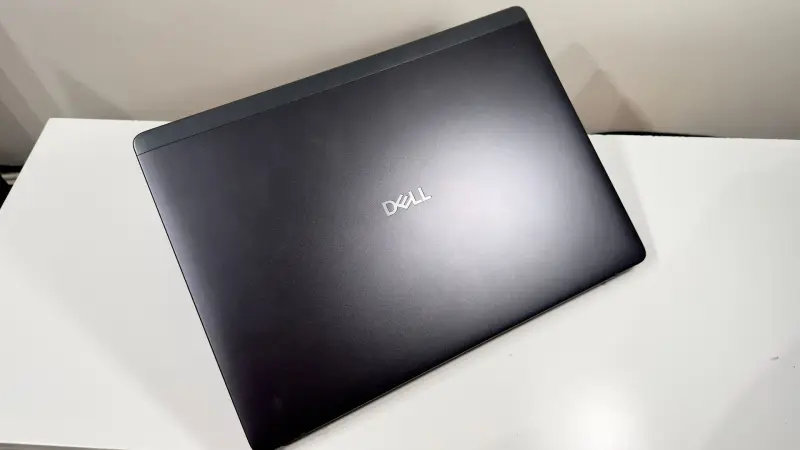
Dell’s Pro 5 Series 14 makes a stronger case for its business laptop range than its predecessor did. It combines a lighter, sturdier chassis with useful ports, replaceable memory and storage, and a choice of Intel or AMD processors. For IT teams weighing a fleet purchase, the trade-offs are clear: the entry specifications look sensible, while high-end memory and processor options push the price up sharply. The review configuration is quick, but its battery life and fan noise depend on what the workload asks of it.
The model sits between Dell’s Pro 3 workhorse range and the more portable Pro 7 family. It belongs to Dell’s 2026 naming reset, which replaced the Pro, Pro Plus and Pro Premium ranges with Pro 3, Pro 5 and Pro 7. The Pro 5 Series 14 is intended to cover the middle ground: a 14in machine with enough performance and connectivity for daily business use, without giving up the ability to service key components.
Chassis, ports and service access
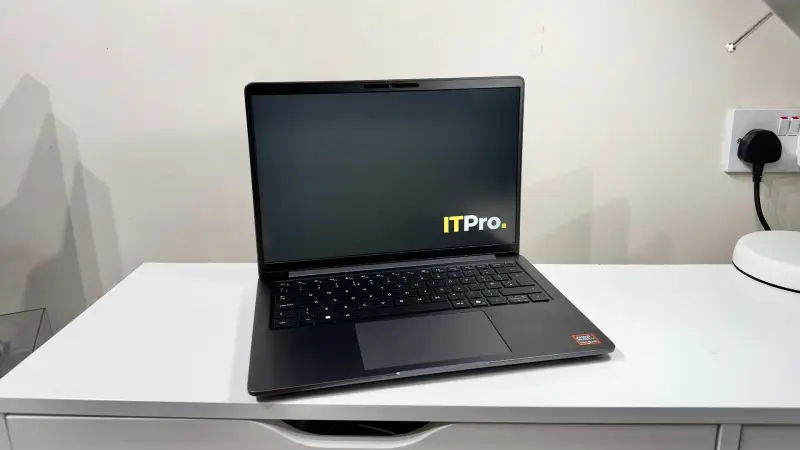
At 1.35kg, the Pro 5 Series 14 is light enough to carry between desks, yet its chassis feels firm. The base tapers towards a rounded front edge, and there’s little flex under pressure. The lid is more pliable, though not enough to feel fragile. That’s a welcome change from the thicker Pro 14 Plus: its base flexed enough that bending the chassis could click the touchpad mechanism. No similar quirk surfaced here.
The design won’t stand out in a meeting room, but it looks and feels appropriate for a premium business laptop. Dell has moved away from the bulky styling of the Pro 14 Plus, while keeping a practical construction that should suit regular travel and shared workplace use.
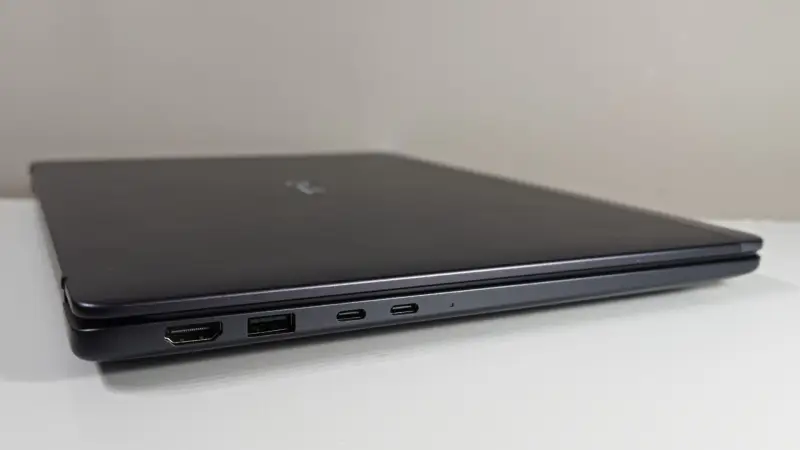
Connectivity is a particular strength. One side carries a drop-jaw 2.5GbE port, a wedge-style lock slot, a 5Gbps USB-A port, a 3.5mm headset jack and a microSD slot. The other has HDMI 2.1, a second 5Gbps USB-A port and two Thunderbolt 4 USB-C ports. That mix gives users wired network access and familiar peripherals without making USB-C docks the only way to connect essential equipment.
Wireless options depend on the selected card. Dell lists the MediaTek MT7922 with Wi-Fi 6E and Bluetooth 5.2, or the MT7925 with Wi-Fi 7 and Bluetooth 5.4. Adding mobile broadband costs about $100 for 4G or $200 for 5G. A fingerprint reader is optional and sits in the backlit power button. Camera choices are tied to the selected display: Dell offers Full HD or 8MP sensors, each with a physical privacy shutter. A configuration without a camera or microphone is also listed for environments that require those components to be absent.
For support teams, access to upgradeable parts is one of the model’s more practical features. Six captive Phillips screws hold the bottom panel in place; after they’re loosened, the panel unclips with some effort. Inside are two side-by-side SODIMM slots, an accessible SSD and WLAN card, and a battery that can be unscrewed. The WWAN aerials are already installed, ready for a compatible M.2 card.
There’s a storage limitation to factor into longer-term planning: the laptop can’t take a full-length M.2 2280 SSD because it would interfere with the CPU fan housing. Even so, the accessible memory and storage make this a more serviceable design than a sealed system, particularly for organisations that may need to increase RAM after purchase.
Configurations and costs
UK pricing was difficult to assess when the laptop was reviewed because Dell’s UK site wasn’t offering it for configuration, with stock apparently limited. US prebuilt prices provided a clearer view of the available starting points. The entry Intel model cost $2,204 and included an eight-core Core Ultra 5 335, 16GB of DDR5 memory, a 512GB SSD and a 1,920 x 1,200 display rated at 62.5% sRGB coverage. The base AMD configuration was $1,996, with a six-core Ryzen AI 5 Pro 435 instead.
Both entry models use a single 16GB SODIMM, so a second module can be added to reach 32GB. That gives buyers a straightforward path to more memory, although the article notes that RAM prices were high at the time. Display choice deserves attention at order time, too: upgrading to a brighter 2,560 x 1,600 panel with 100% sRGB coverage cost $90. The review found that upgrade worthwhile for image quality and webcam selection.
Dell’s higher-end options can change the economics quickly. The reviewed unit had a Ryzen AI 9 HX PRO 470, 32GB of DDR5, a 1TB Samsung BC9C1a SSD, the 2,560 x 1,600 non-touch display and the largest battery option. Its total price was $3,696. The Ryzen AI 9 HX PRO 470 added $620 over the standard Ryzen AI Pro 435, moving to 32GB of RAM added $530, and doubling storage added $250 over a basic QLC drive. Organisations choosing configurations should match those upgrades to actual workload needs rather than treating the review specification as the default.
The three battery choices are 45Wh, 57Wh and 70Wh; the difference in price between them was only $20. The review unit used the 70Wh pack. Dell’s configuration details therefore give buyers room to prioritize capacity, memory, storage and display separately, but the total can climb well beyond the starting prices.
Keyboard, touchpad and display
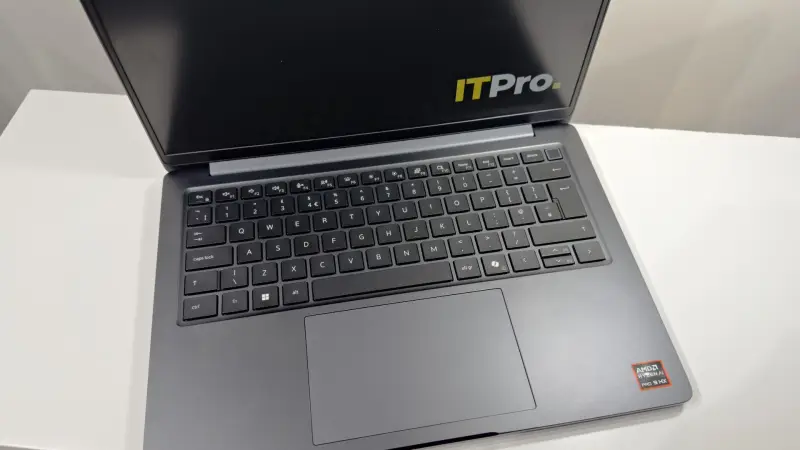
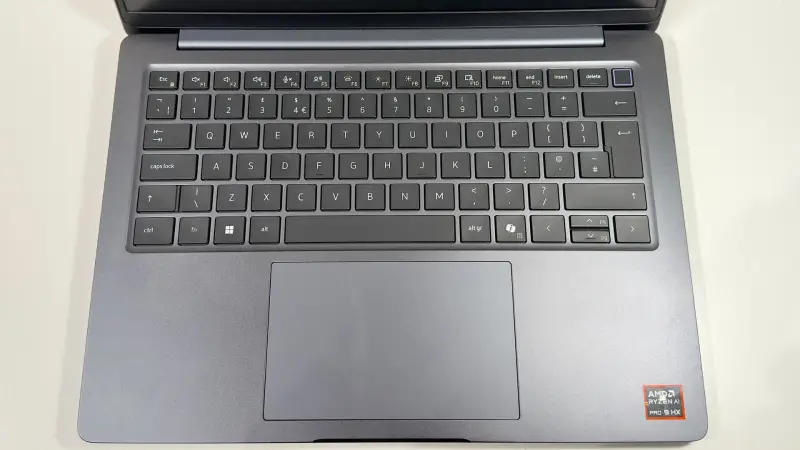
The keyboard is a noticeable improvement over the Pro 14 Plus. There’s less movement in the deck, and the keys avoid the soft, hollow feel of the previous model. They have a light activation point and enough travel to remain comfortable during long stretches of typing. The layout is broadly sensible, though the tilde and backslash keys sit close to the left Shift and full-height Enter keys. The power button is shorter than the neighbouring Delete and Backspace keys, but it can still be pressed accidentally.
The mechanical touchpad should be easier to repair than a design with different actuation, and in daily use it behaved consistently. It handled Windows desktop gestures reliably, with only occasional missed inputs. Two-finger clicks need a deliberate press to register dependably; users who click the lower corners instead are less likely to notice that weakness.
The review configuration’s 14in IPS display has a matte finish, 2,560 x 1,600 resolution and a variable refresh rate from 48Hz to 120Hz. Its measured peak brightness reached 525cd/m2, above the stated 500-nit rating. Combined with the anti-glare surface, that makes the panel usable outdoors in fairly bright conditions. Scrolling looks smooth at higher refresh rates, and the dense image keeps text, pictures and video crisp.
Measured colour performance was respectable: average Delta E was 1.36 and sRGB coverage was about 96%, against Dell’s 100% claim. The white point looked slightly warm and reddish, while the brightest colours could appear washed out. Those limits don’t prevent the panel from being a good option for general office and media work, but colour-critical users should keep the measured results in mind.
Webcam selection changes with the display. The lower-colour-coverage panels are paired with a basic Full HD camera; the 100% sRGB option enables an 8MP HDR camera and an IR sensor. The 8MP unit produced better colour and detail than the Full HD sensor, although it became noisy in low light. As the display upgrade costs $90, the higher-resolution panel looks like a useful upgrade for users who spend time on video calls.
AMD performance, thermals and battery life
The Ryzen AI 9 HX PRO 470 in the review unit has 12 cores and 24 threads, with a stated maximum frequency of 5.2GHz. It delivered strong single-core and multi-core results, around 86 TOPS of AI compute, and worked alongside a fast Samsung SSD. Sequential drive speeds peaked at 6,998MB/s for reads and 5,187MB/s for writes.
How much of that processor performance the laptop can sustain depends on Dell Optimizer’s power mode. The chip has a baseline TDP of 28W and a configurable range from 15W to 54W, but this 14in chassis can’t make full use of the upper end for sustained work. Ultra Performance allowed brief boosts to around 42W before settling near 31W, at the cost of loud fan noise. Optimized peaked near 35W and sustained around 26W, reducing noise while leaving the fans audible. Quiet mode held sustained power near 21W and produced a low, unobtrusive rush of air.
Benchmark comparisons suggest AMD is the stronger choice in the Pro 5 Series 14 for users who need multi-core performance. In Geekbench 6, the Ryzen chip was about 16% ahead of the Intel Core Ultra 9 386H in single-core testing and roughly 6% ahead in multi-core results. Cinebench 2024 narrowed the single-core gap: Intel was only 2% behind. AMD’s 24 threads, compared with Intel’s 16, gave it a 20% multi-core lead in that test. The fastest Intel option listed for this laptop is the Core Ultra 7 366H vPro, which is slightly slower than the review processor.
The integrated Radeon 890M also performed well against Intel’s mid-range Series 3 systems fitted with Graphics 4 Xe3. It led by 40% in Geekbench 6’s OpenCL test and more than 70% in Vulkan. In 3DMark Time Spy and Steel Nomad, its lead was around 15%; in less memory-limited tests, including Steel Nomad Light and Geekbench 6 OpenCL, the advantage came closer to 45%. These are synthetic comparisons, but they point to a useful graphics edge for the AMD configuration.
Battery life was the clearest weakness. Despite the review unit’s 70Wh battery, it ran for 13 hours and 1 minute in the video rundown test. That falls short of current Intel-powered laptops that have reached or exceeded 20 hours under the test conditions described. Buyers who put endurance ahead of demanding multi-tasking can consider a lower-power AMD processor or an Intel Series 3 Core model. Dell also offers a lower-resolution 1,920 x 1,200 panel described as Ultra Low Power, which may help, though the review didn’t quantify its effect.
Verdict and key specifications
The Pro 5 Series 14 is a meaningful improvement over the Pro 14 Plus, with a sturdier chassis, better keyboard, broad port selection and accessible upgrade components. It’s a capable business laptop, particularly in AMD configurations where multi-core processing and integrated graphics matter. The main costs to manage are the steep price of higher specifications, fan noise under heavy workloads and battery life that trails the strongest recent alternatives.
For IT buyers, the most practical approach is to choose the processor, display and memory around the work users actually do. The entry configurations offer a sensible foundation, and the SODIMM slots leave room for a later memory upgrade. The $90 display step also brings a brighter, sharper panel and access to the better webcam option. Dell’s new middle-tier machine looks back on track; its value depends on avoiding upgrades that a given fleet won’t use.
Display | 14in 2,560 x 1,600 matte IPS |
Processor | AMD Ryzen AI 9 HX PRO 470, 12 cores/24 threads, up to 5.2GHz |
Graphics | AMD Radeon 890M |
Memory | 32GB DDR5, up to 5600 MT/s, two SODIMM slots |
Ports | Two Thunderbolt 4 USB-C, two USB-A 3.2 Gen 1, HDMI 2.1, RJ45 Ethernet, 3.5mm headset jack, microSD |
Camera | 1080p Full HD IR webcam with Windows Hello listed in the reviewed specification |
Storage | 1TB PCIe Gen4 SSD |
Wireless | Wi-Fi 7, Bluetooth 5.4; optional 4G or 5G mobile broadband |
Weight and dimensions | 1.35kg; 313.5 x 224 x 17.9mm |
Battery | 57Wh in the listed specification; options up to 70Wh |
Operating system | Windows 11 Pro |


